Which days need more room?
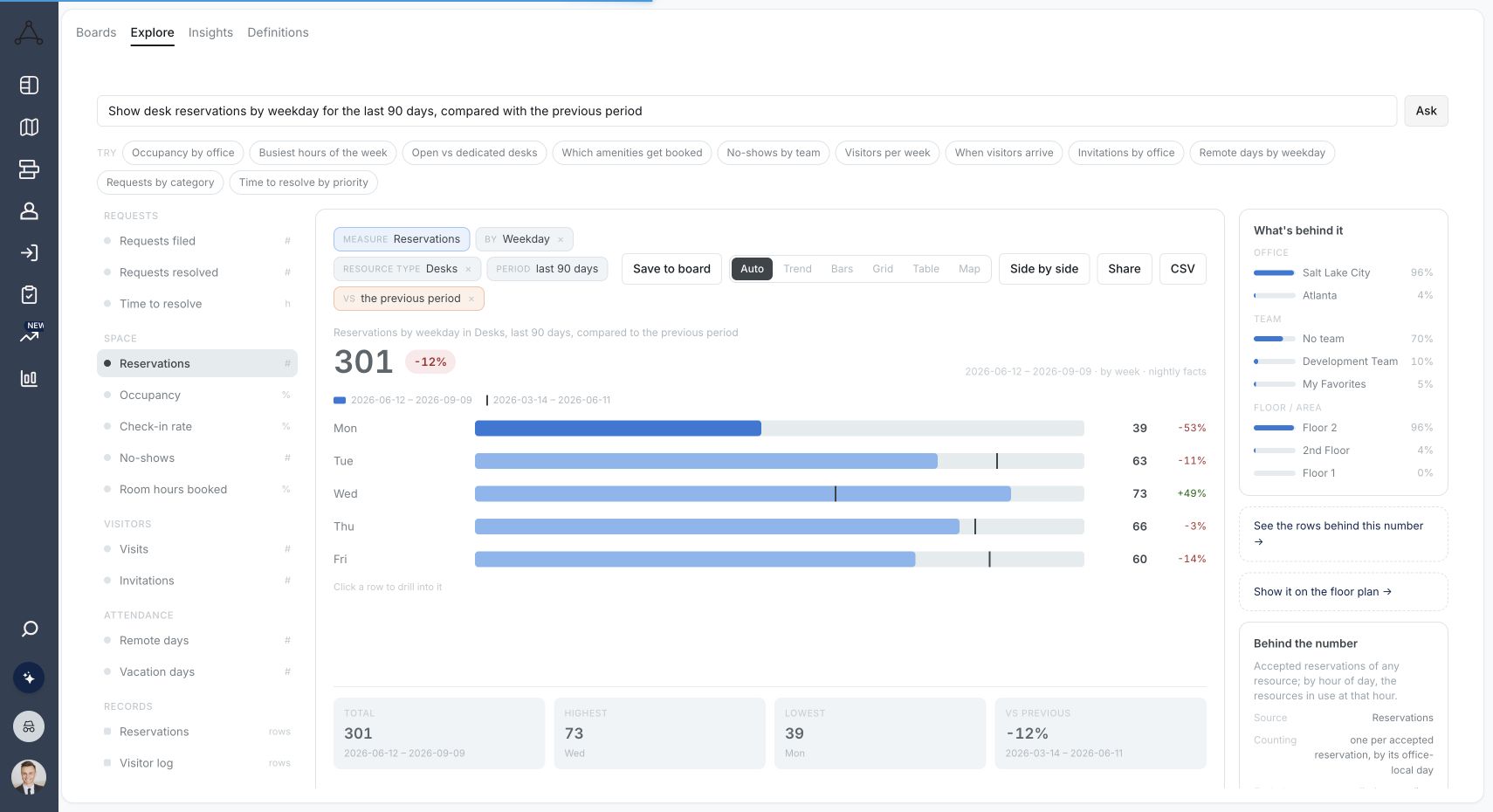
Review reservations by day and week. Understand recurring peaks before adding desks, changing office days, or reducing capacity.

Compare reservations with check-ins, see attendance by day, team and neighborhood on your live floor plan, and decide how much space you really need.
Trusted by fast-growing
companies



Understand the patterns behind your workplace, not just the totals at the top of a dashboard.
Review reservations by day and week. Understand recurring peaks before adding desks, changing office days, or reducing capacity.
Compare reservations and check-ins. See where intended use and confirmed arrivals differ, with your check-in process in context.
Look at use by team, office, and workspace. Find the context you need to make seating and neighborhood decisions.
Move from a broad view to the office, floor, team, or resource you need to understand. Keep the reporting connected to the places people actually book.
Use reservation patterns to inform shared desks, assigned seating, and team neighborhoods.
Explore desk booking →Review room usage alongside the meeting experience, from availability to check-in and services.
Explore room booking →Bring evidence into capacity, layout, and move conversations before changing your space.
Space & Move Management →The details that matter when choosing your workplace platform.
Explore pricing →Office space utilization analytics measures how desks, meeting rooms, and other workspaces are used over time. It compares bookings with confirmed arrivals by day, team, and office. Tactic brings desk, room, parking, and visitor reporting together in one workplace platform.
Tactic includes reporting for desks and workspaces, rooms, parking, and visitors. Desk reporting includes reservations by workspace, team, day, week, office, and user, alongside utilization and reservation-versus-check-in views. Each dashboard is backed by detailed data tables, available to organization administrators.
Yes. Reporting controls let teams narrow the view by office, floor, resource, employee, team, reservation status, and time. Available controls depend on the selected report, so the filters you see change as you switch between desk, room, parking, and visitor reports.
No. A reservation records intent to use a space. A check-in records a confirmed arrival through the configured check-in process. Compare the two before treating bookings as attendance, and consider the coverage of your check-in setup.
Desk utilization is the share of available desks that are actually used over a set period. Bookings give you a demand figure; check-ins tell you how much of that demand turned up. Measure across several weeks so one unusual day does not skew the rate.
Track how often each room is booked, at what times, and whether the room size fits the meetings held in it. Tactic includes room reporting next to its desk, parking, and visitor reports, and connects to meeting room booking with live availability and check-in.
Office attendance tracking shows who came into the office and when. Occupancy analytics looks at how specific spaces are used, such as a floor, desk, or room. Tactic covers both: attendance by team and day, plus utilization views for desks and rooms.
Yes. Administrators can download report data from Tactic. Reservation tables can include status, user, office, floor, workspace, check-in and check-out times, and teams. Tables and visualizations export to CSV, Excel, or JSON for sharing with finance or real estate.
Tactic reporting is built on reservation and check-in data. For deeper analysis, organizations can request custom dashboards or data syncing through their account team, for example comparing check-ins with badge-reader data or room usage with lease costs.







