
.webp)
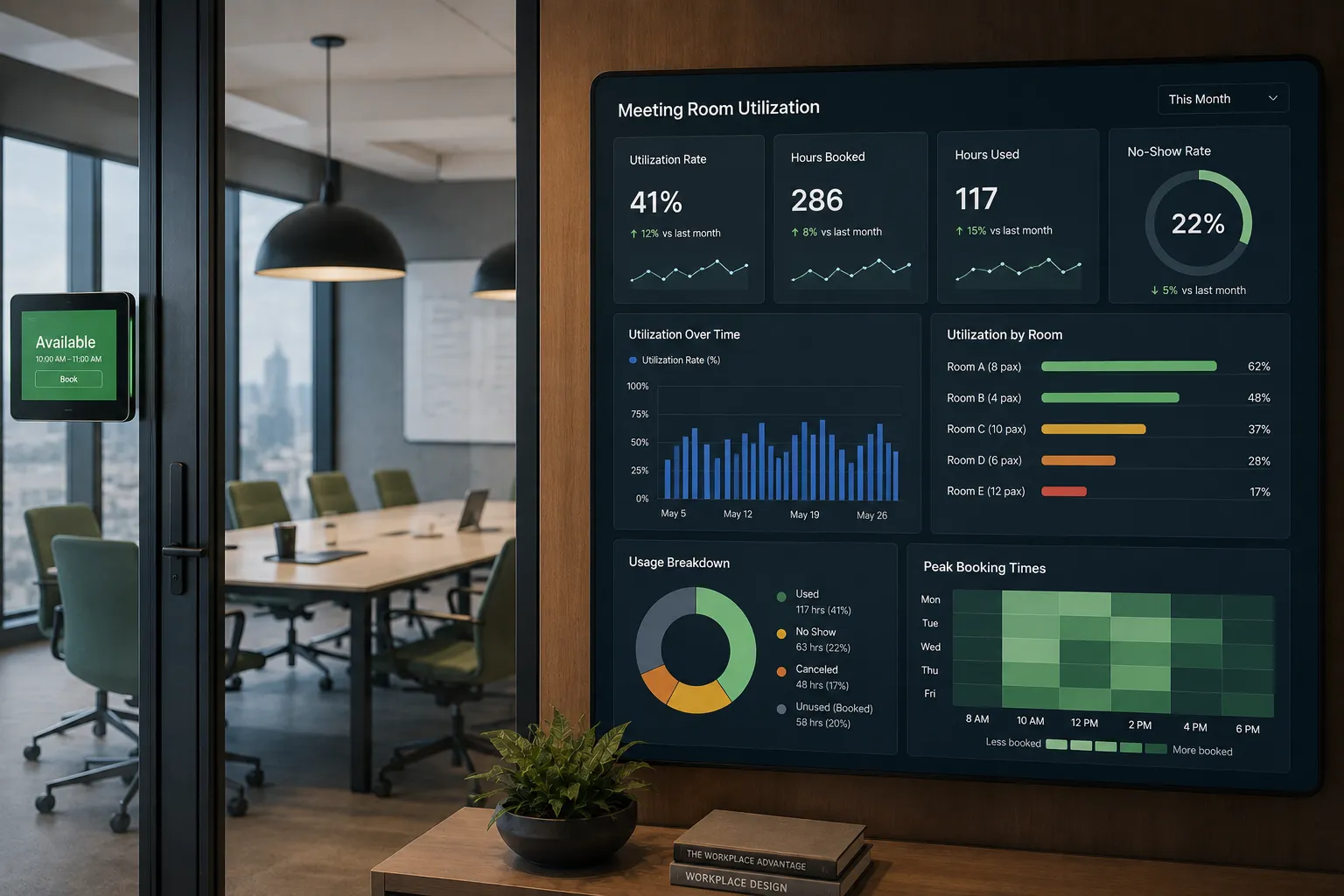
Meeting rooms are some of the most important spaces in an office.
They support team meetings, client calls, interviews, workshops, training sessions, and collaboration.
But they are also one of the most common sources of workplace frustration.
Employees may see every room booked, only to walk past empty conference rooms. Small meetings may take over large rooms. Recurring meetings may block space even when no one shows up.
That is why companies track meeting room utilization.
The short answer: Meeting room utilization measures how often meeting rooms are booked, occupied, and actually used over time. It helps companies understand whether they have the right number, size, and type of meeting spaces for how employees work.
For hybrid offices, this matters even more because room demand can change dramatically by day, team, and location.
Meeting room utilization is the process of measuring how meeting spaces are used across an office or workplace portfolio.
It helps companies answer questions like:
Meeting room utilization gives workplace teams better visibility into how meeting spaces perform.
Without that data, companies often rely on complaints, assumptions, or occasional observation.
Meeting room utilization and room occupancy are related, but they are not the same.
Room occupancy usually refers to whether a room is physically occupied at a specific moment.
Room utilization looks at how often a room is used over time.
For example:
A room may be occupied at 10:00 AM, but utilization helps show whether that room is being used effectively throughout the day, week, or month.
This distinction matters because a room can feel busy during peak hours but still be underutilized overall.
Companies typically measure meeting room utilization using a mix of booking data, check-in data, calendar data, and occupancy signals.
Room booking data shows when rooms are reserved and by whom.
This helps companies understand:
Booking data is a strong starting point, but it does not always tell the full story.
A booked room is not always a used room.
Room check-ins help confirm whether a meeting actually happened.
For example, if a room is booked from 2:00 to 3:00 PM but no one checks in, that may indicate a no-show.
This matters because no-shows can make rooms appear unavailable even when they are empty.
Many companies sync meeting rooms with Outlook or Google Calendar.
Calendar data helps show:
This is especially useful when employees book rooms directly from their calendar.
Some companies use sensors or occupancy signals to understand whether a room is physically being used.
This can help distinguish between:
When combined with booking data, occupancy data can give a more complete picture of room usage.
Room utilization rate measures how much available room time is actually used.
A simple version looks like this:
Room Utilization Rate = Used Room Time / Total Available Room Time
For example:
If a meeting room is available for 40 hours in a week and used for 20 hours, the room utilization rate is 50%.
Booking utilization measures how often rooms are reserved compared to their available time.
This shows booking demand, but it may overstate actual usage if people book rooms and do not show up.
Actual utilization measures whether the room was actually used.
This is more accurate than booking utilization, especially if check-ins or occupancy signals are available.
No-show rate measures how often rooms are booked but not used.
A high no-show rate can create false scarcity.
Employees may think no rooms are available, even though booked rooms are sitting empty.
Room size match measures whether the number of attendees matches the size of the room.
For example:
A two-person meeting in a 12-person conference room may indicate inefficient room usage.
This helps companies understand whether they have the right mix of room sizes.
Peak room demand shows when rooms are most heavily used.
This is important because average utilization can hide busy periods.
For example:
Rooms may average 45% utilization across the week but reach 90% utilization on Tuesday mornings.
That matters for planning.
Few things frustrate employees more than trying to find a room and seeing every space booked.
Utilization data helps workplace teams understand whether the issue is true room scarcity, poor booking behavior, or room no-shows.
Meeting room data can reveal whether the office has the right mix of spaces.
A company may discover it has too many large conference rooms and not enough small huddle rooms.
Or it may find that certain floors have much higher demand than others.
Phantom meetings happen when rooms remain booked even though the meeting was canceled, moved, or never attended.
Room check-ins, auto-release rules, and better calendar sync can help reduce this issue.
Hybrid work changes meeting behavior.
Some days may have heavy in-office collaboration, while others may be quiet.
Companies need to understand when room demand actually occurs so they can plan the workplace effectively.
When rooms are easier to find and book, employees have a better office experience.
Better room utilization means fewer wasted spaces and less frustration.
This is one of the most common issues.
It usually happens because employees forget to cancel meetings, recurring meetings stay on the calendar, or no check-in policy exists.
This creates inefficiency.
If small groups consistently use large rooms, employees with larger meetings may struggle to find appropriate space.
Recurring meetings can quietly consume room capacity.
If those meetings are not regularly reviewed, they can create unnecessary room scarcity.
Some employees reserve rooms as a backup, even if they may not need them.
This can reduce availability for others.
If employees cannot easily see room availability, amenities, capacity, or location, they may book the wrong room or waste time searching.
Room booking should sync with the tools employees already use, such as Outlook or Google Calendar.
Two-way sync helps keep availability accurate across systems.
Check-ins help confirm whether booked rooms are actually being used.
If no one checks in, the room can be released for others.
Auto-release rules make rooms available again when a meeting does not happen.
For example, if no one checks in within 10 minutes, the room can be released.
Workplace teams should monitor whether rooms are being used by appropriately sized groups.
This helps identify whether the office needs more huddle rooms, phone booths, or larger meeting spaces.
Recurring meetings should be reviewed periodically.
Old or unnecessary recurring bookings can take up valuable space.
Employees should be able to see:
This helps them book the right room the first time.
Workplace management software helps companies measure and improve room utilization.
It can support:
When room booking is connected to desk booking, visitor management, and workplace analytics, companies get a more complete view of how the office is being used.
There is no universal perfect number.
A very high utilization rate may sound efficient, but it can make rooms hard to find.
A very low utilization rate may indicate wasted space.
The right target depends on the company’s office strategy, hybrid policy, room mix, and employee needs.
The goal is not 100% utilization.
The goal is healthy utilization that balances availability, efficiency, and employee experience.
Meeting room utilization measures how often meeting rooms are booked and actually used over time.
It helps companies understand whether they have the right number, size, and type of meeting spaces.
For hybrid workplaces, room utilization data is essential because meeting demand changes by day, team, and location.
The companies that manage rooms best are not relying on guesswork.
They are using booking data, check-ins, calendar sync, and workplace analytics to make meeting rooms easier to find, easier to use, and easier to plan.
Meeting room utilization measures how often meeting rooms are booked, occupied, and used over time.
Companies measure meeting room utilization using room booking data, check-ins, calendar integrations, occupancy data, and workplace analytics.
Room occupancy shows whether a room is occupied at a specific moment. Room utilization shows how the room is used over a period of time.
Rooms are often booked but empty because meetings are canceled, people forget to release the room, recurring meetings stay on the calendar, or no check-in process exists.
Companies can improve room utilization with calendar sync, room check-ins, auto-release rules, better room data, and utilization analytics.

A workplace experience platform that brings your hybrid team together.