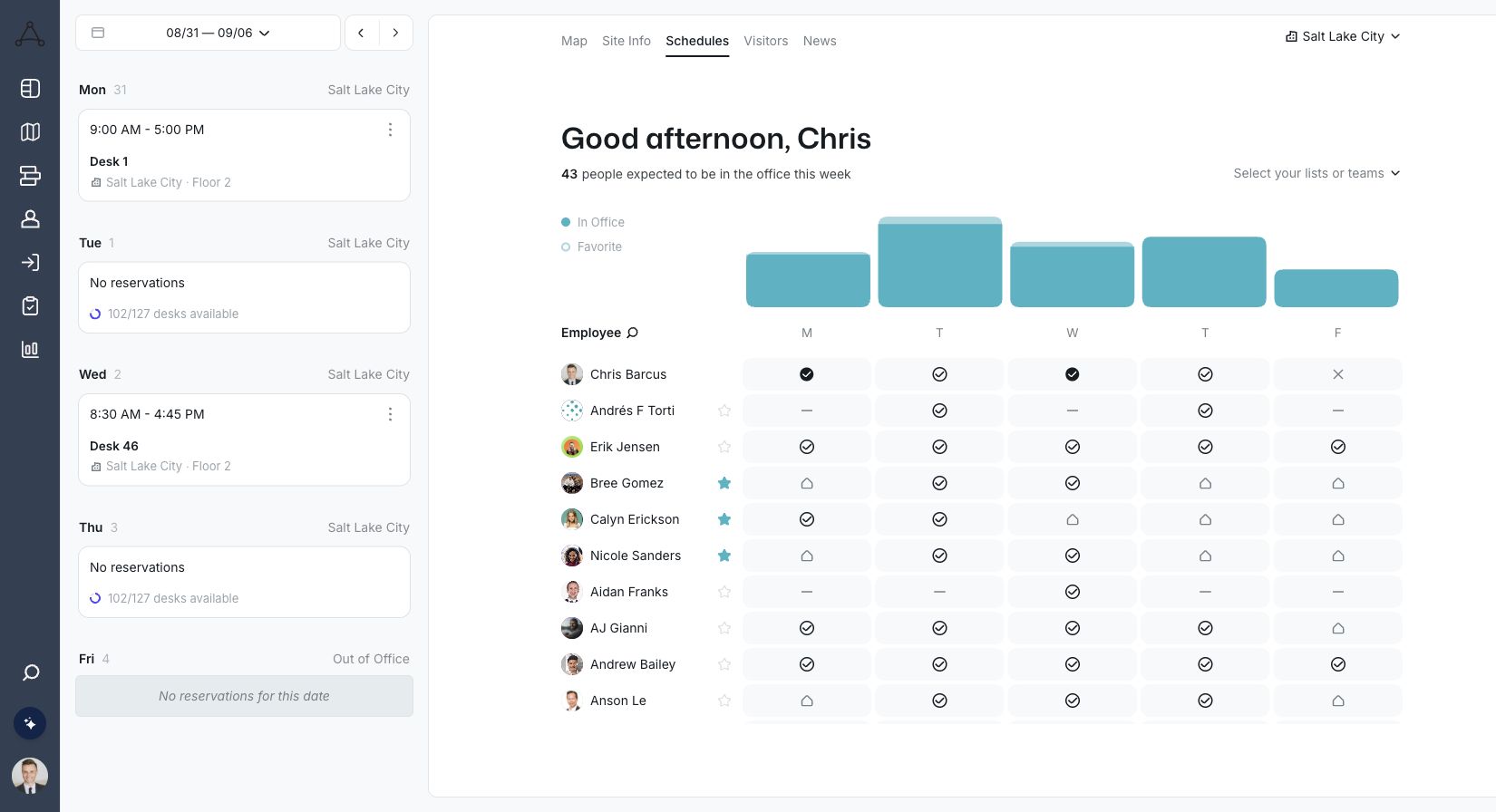
Check in without the chase
Confirm arrivals automatically or give employees an easy prompt. Unused desks can return to availability so the map stays accurate.
WiFiBadge readersSlack and TeamsMobile

Trusted by fast-growing
companies



Follow the real Tactic workflows employees use to find and book a desk, then see how workplace teams stay in control.
Give employees a simple experience while workplace teams keep the rules, access, and data they need.
Confirm arrivals automatically or give employees an easy prompt. Unused desks can return to availability so the map stays accurate.
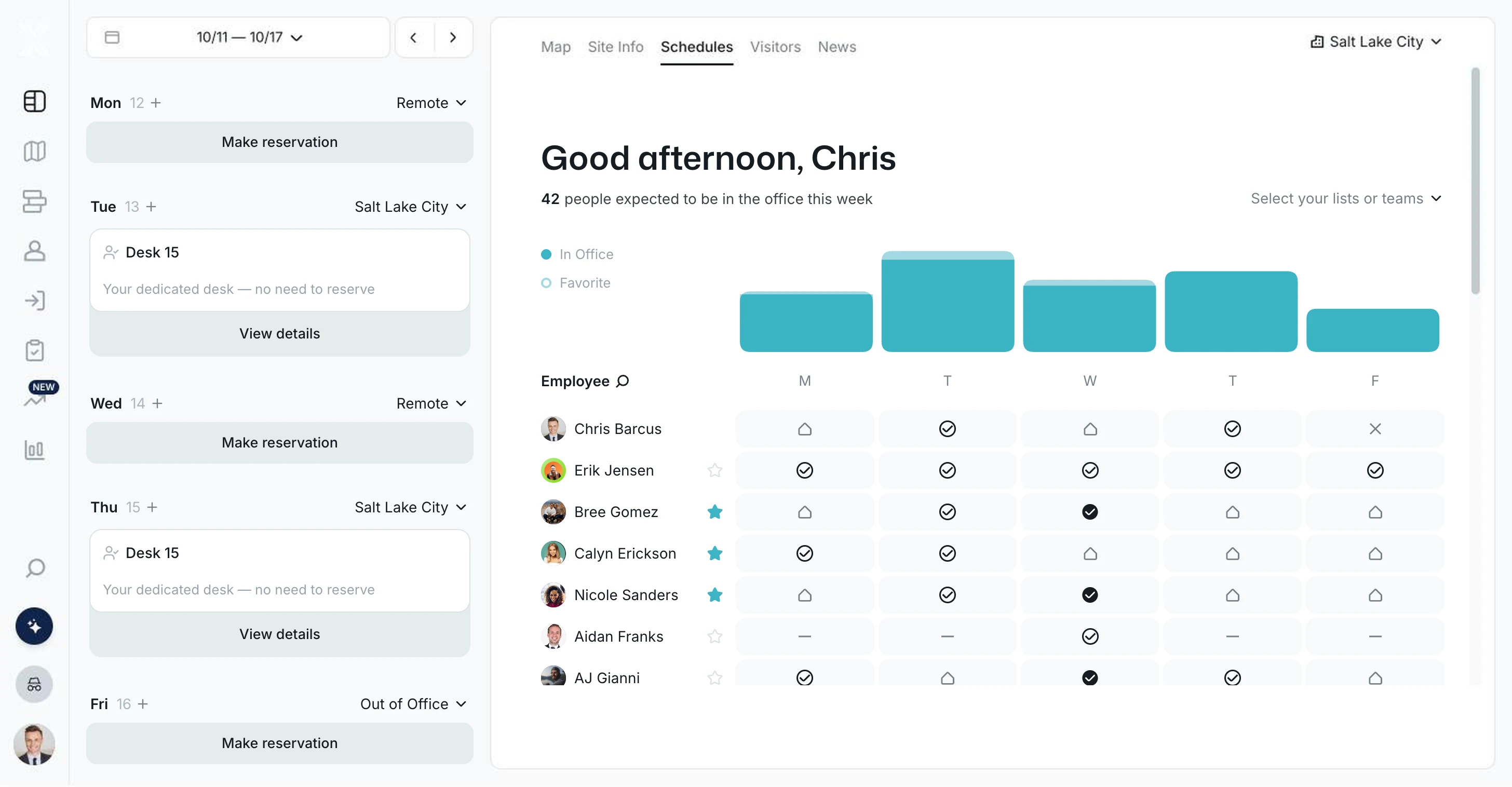
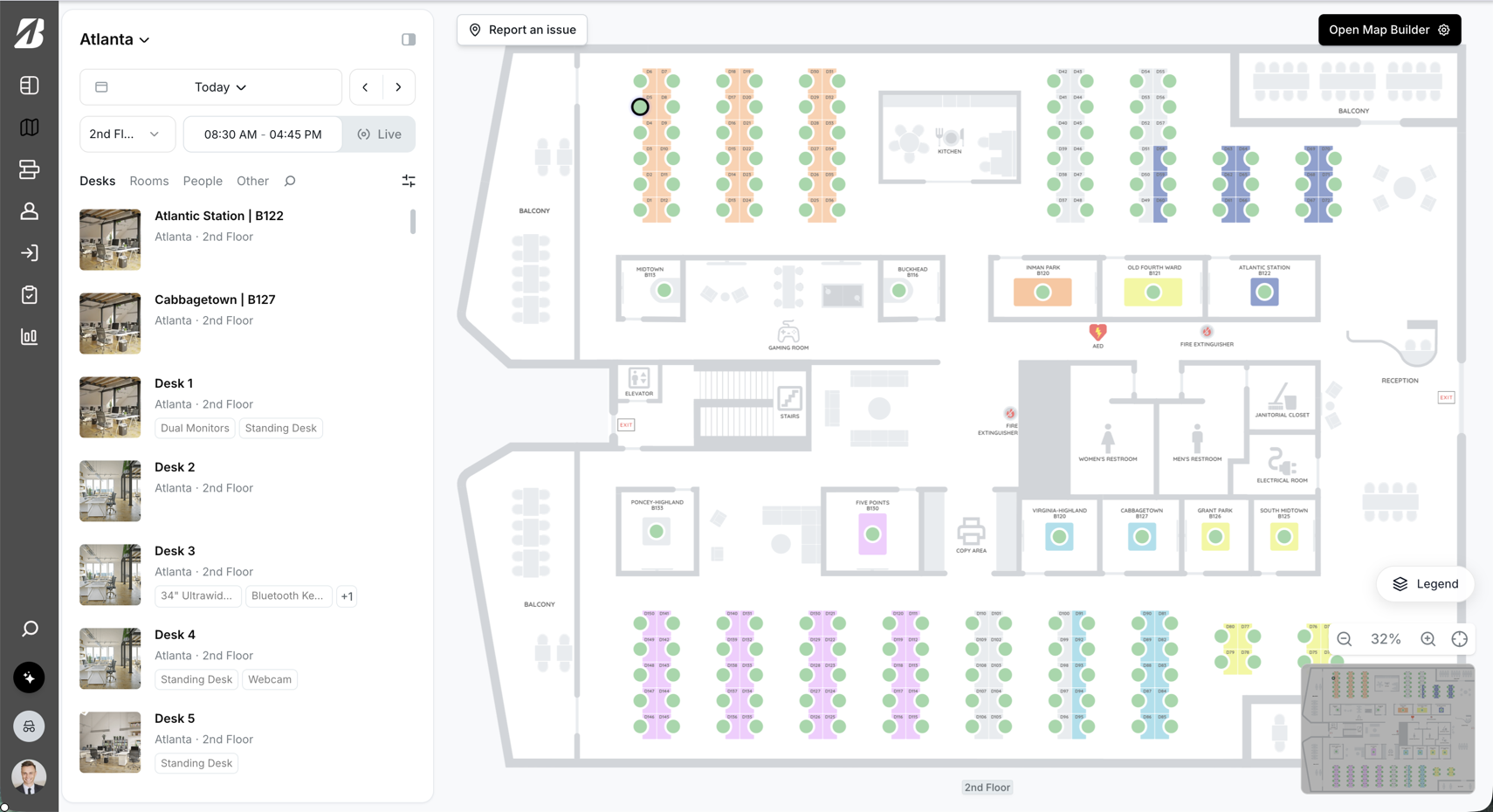
Create team zones with the right capacity and amenities. Employees can quickly find a useful place near the coworkers they came in to see.
Give specific teams or roles earlier access to important desks while keeping the rest of the workplace fair and easy to manage.
Manage flexible and assigned seating, update neighborhoods, change availability, and understand utilization from the same live map.

“Tactic is so much easier to use and way more intuitive than the tool we were using before. Whenever we’ve needed anything, the team has been right there to help.”
Bring reservations, reminders, and check-in into the calendars and collaboration tools employees already open.
Explore integrations → Microsoft 365
 Google Workspace
 Slack
Slack Microsoft Teams
 Okta
OktaClear answers to the questions workplace teams ask before they choose a desk booking platform.
See Tactic with your workplaceDesk booking software lets employees see open desks and reserve one before they come in. It replaces spreadsheets and first-come seating with a live map, booking rules, and check-in. Tactic connects desk reservations, team schedules, and utilization data in one place.
No. Employees pick a day, see who else is coming in, and reserve a desk from the map in a few clicks. They can also book from Slack, Teams, Outlook, Google Calendar, or the mobile app, so there is very little new to learn.
Hot desking means people take any open desk on the day, usually without booking far ahead. Desk hoteling means reserving a specific desk in advance for a set day or period. Many hybrid offices use both, and Tactic runs them side by side with assigned desks.
Yes. The Tactic app for Microsoft Teams opens the full interface, including office maps and team schedules. In Slack, people can book, get reminders, and check in from the message. The mobile app for iPhone and Android handles reservations and check-in on the go.
Admins can turn on automatic cancellation and set how many minutes after the start time someone has to check in. If nobody checks in by then, Tactic cancels the reservation and the desk opens up again. Desk and meeting room check-in rules are set separately.
Yes, if your organization allows them. Employees can repeat a reservation, such as every day or weekly on Monday, and choose an end date. Later they can remove a single day, all future days, or the whole series. Admins decide whether recurring bookings are available.
Yes. Admins, schedulers, and team managers can reserve workspaces on behalf of other people, which helps with new hires and planned team days. People with the right permissions can also edit or cancel those reservations from the map or the admin page.
Office Insights compares reservations with check-ins, so you can see where planned use and confirmed arrivals differ. Reports break down desk use by team, office, workspace, day, and week, which helps workplace teams spot busy days and desks that sit empty.
Yes. Employees can filter by building, floor, date, and time to find an open desk wherever they are working that day. Each location can have its own maps, neighborhoods, and booking rules, and reporting can be filtered by office and floor to compare sites.
Yes. Any organization can add SSO, with SAML providers such as Okta, Microsoft Entra ID (Azure), Google, OneLogin, and JumpCloud, plus Google and Microsoft OAuth. SCIM provisioning is supported too, so user accounts can stay in step with your identity provider.
Related: Meeting room booking · Hybrid team scheduling · Visitor management

One platform for your entire workplace.






