

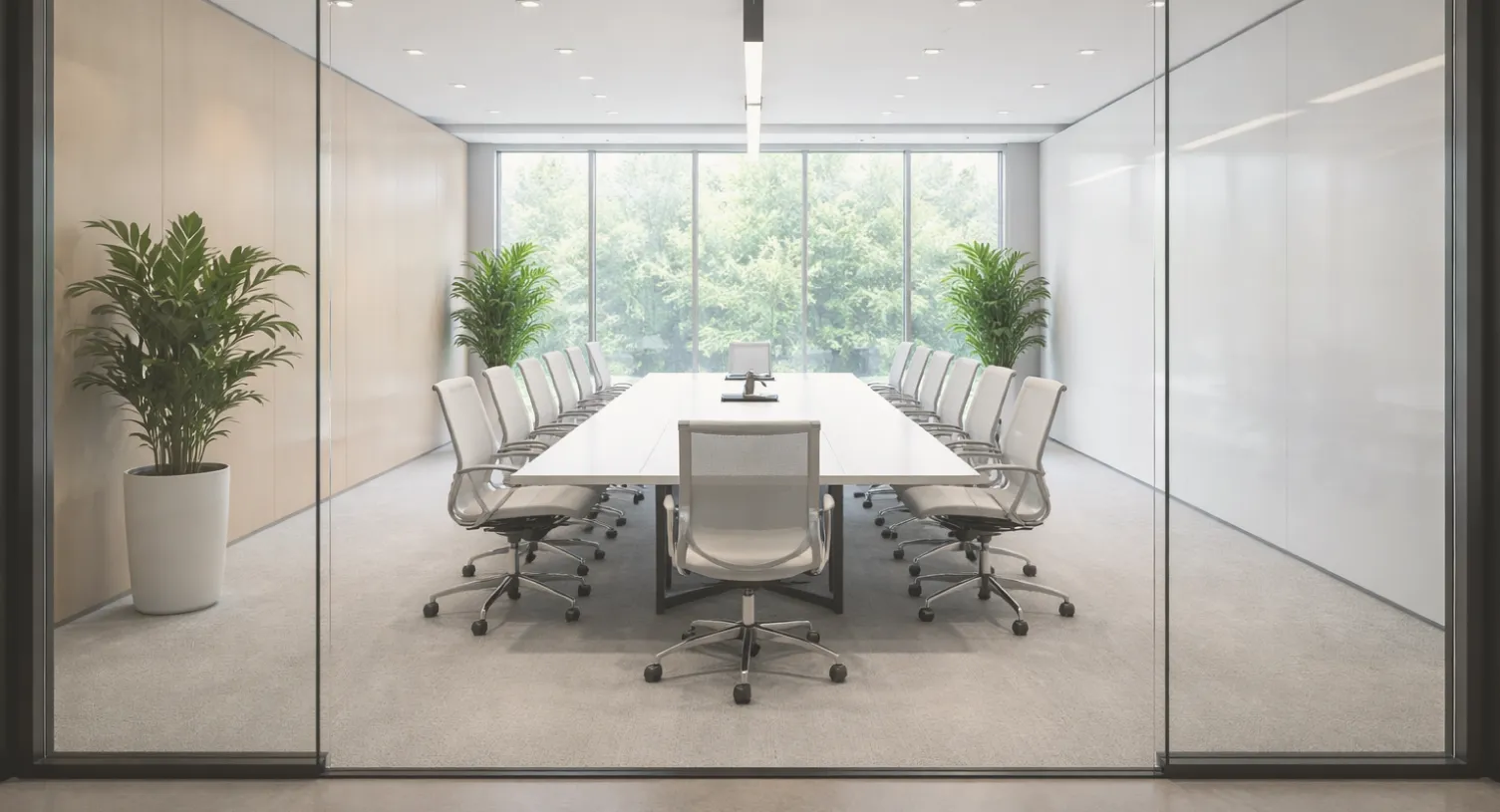
At $50 per square foot annually, every unused conference room in your portfolio is a line item your CFO notices. Here's the math: A 500-person company typically leases 75,000 square feet (150 sq ft/employee). Meeting rooms consume roughly 15% of that footprint, or 11,250 square feet. Our internal analysis of 500+ companies shows that 45% of all conference room reservations result in no-shows (rooms that are booked but never occupied). At this rate, you're burning through $253,125 per year on phantom meetings alone.
But the real cost isn't just financial. It's the VP who walks into "their" reserved room only to find it occupied. It's the employee anxiety of conducting an unreserved meeting, constantly checking the door. It's the lost productivity when teams waste 10–15 minutes per meeting hunting for available rooms.
Post-pandemic office utilization has fundamentally changed the calculus. A study by Cushman & Wakefield found that 55% of office space now utilize flexible office solutions. Hybrid work means fewer guaranteed desks and higher demand for flexible, bookable spaces. Employees need both advance reservation capabilities for planned collaboration and instant booking for spontaneous meetings. Legacy calendar-based systems weren't designed for this reality.
Traditional systems like Outlook/Google Calendar integrations and first-generation tools rely on honor-system reservations. Someone books a room at 9 AM, cancels their meeting at 8:55 AM via Slack, but forgets to release the calendar hold. The room sits empty for an hour while three other teams circle the floor looking for space.
Employees operating in agile environments need to book rooms in real-time. A quick standup turns into a problem-solving session. But if your reservation system requires Outlook calendar invites, 5-minute advance booking windows, or admin approval, employees simply grab the nearest empty room and hope for the best.
Not all conference rooms serve the same purpose. A 4-person huddle room with a single monitor doesn't work for a 12-person client pitch requiring dual screens and video conferencing equipment. When your booking interface only shows "Conference Room B - Available," employees reserve blindly, then scramble to relocate when the space doesn't meet their needs.
High-stakes meetings require AV setup, catering orders, or furniture reconfiguration. When these ancillary requests live in separate ticketing systems, you introduce coordination failures. The room is booked, but the projector isn't set up.
What It Is: Interactive floor plan mapping that transforms your physical office into a digital twin where employees can see real-time room availability, locations, and attributes visually rather than scrolling through text-based lists.
How to Do It:
Why It Works: When the finding available meeting rooms becomes faster than walking around looking for space, adoption becomes self-reinforcing. Employees stop bypassing the system because the system is easier than the workaround.
Employee-First Design Principle: Legacy tools treat room booking as an administrative compliance task with multiple clicks, calendar integrations, approval workflows. Software employees want to use treats booking as a productivity enabler. The difference drives materially higher adoption rates.
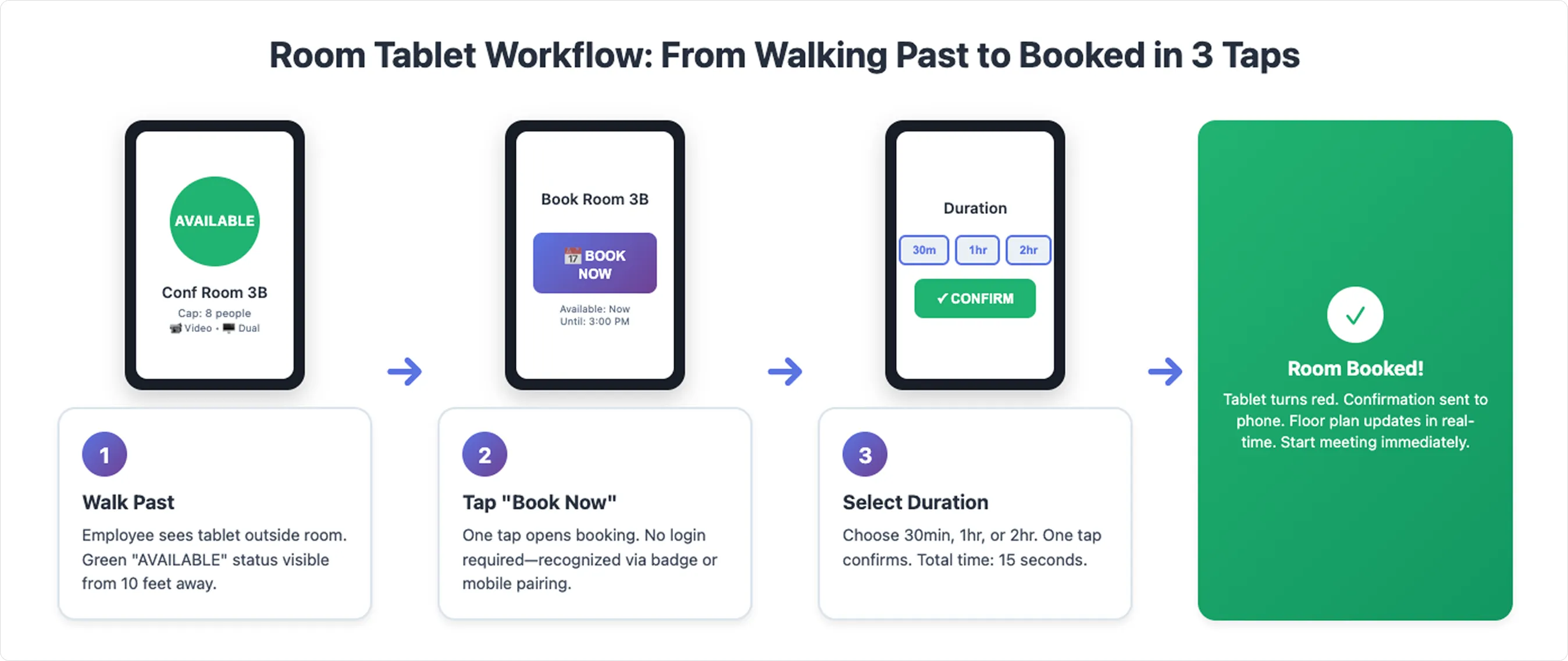
What It Is: Wall-mounted tablets outside each conference room that display real-time availability, upcoming reservations, and enable instant booking and check-in without pulling out a phone.
How to Do It:
Why It Works:
Employee-First Design Insight: Room tablets transform booking from a planning task into an ambient, contextual action. You're not "opening an app to search for rooms" but rather standing in front of a room, seeing it's free, and tapping once.
What It Is: Smart logic that automatically releases rooms when reserved but unoccupied after a grace period (typically 10–15 minutes).
How to Do It:
Why It Works: You convert phantom meetings into bookable inventory within minutes, not hours. Real-world implementations demonstrate significant capacity recovery with a recent study showing that auto-release functionality may free up 30% more meeting room availability within the first month.
The Tactic Advantage: While some organizations deploy expensive occupancy sensors ($200-500 per room), Tactic achieves comparable results through software-first verification:
Result: Similar capacity recovery without $10K-50K sensor deployment costs.
What It Is: Searchable, filterable room metadata that allows employees to book based on actual need, not just availability.
How to Do It:
Why It Works: Reducing room-type mismatches eliminates the secondary scramble. When employees book the right room the first time, you eliminate the hidden coordination tax of mid-meeting relocations.
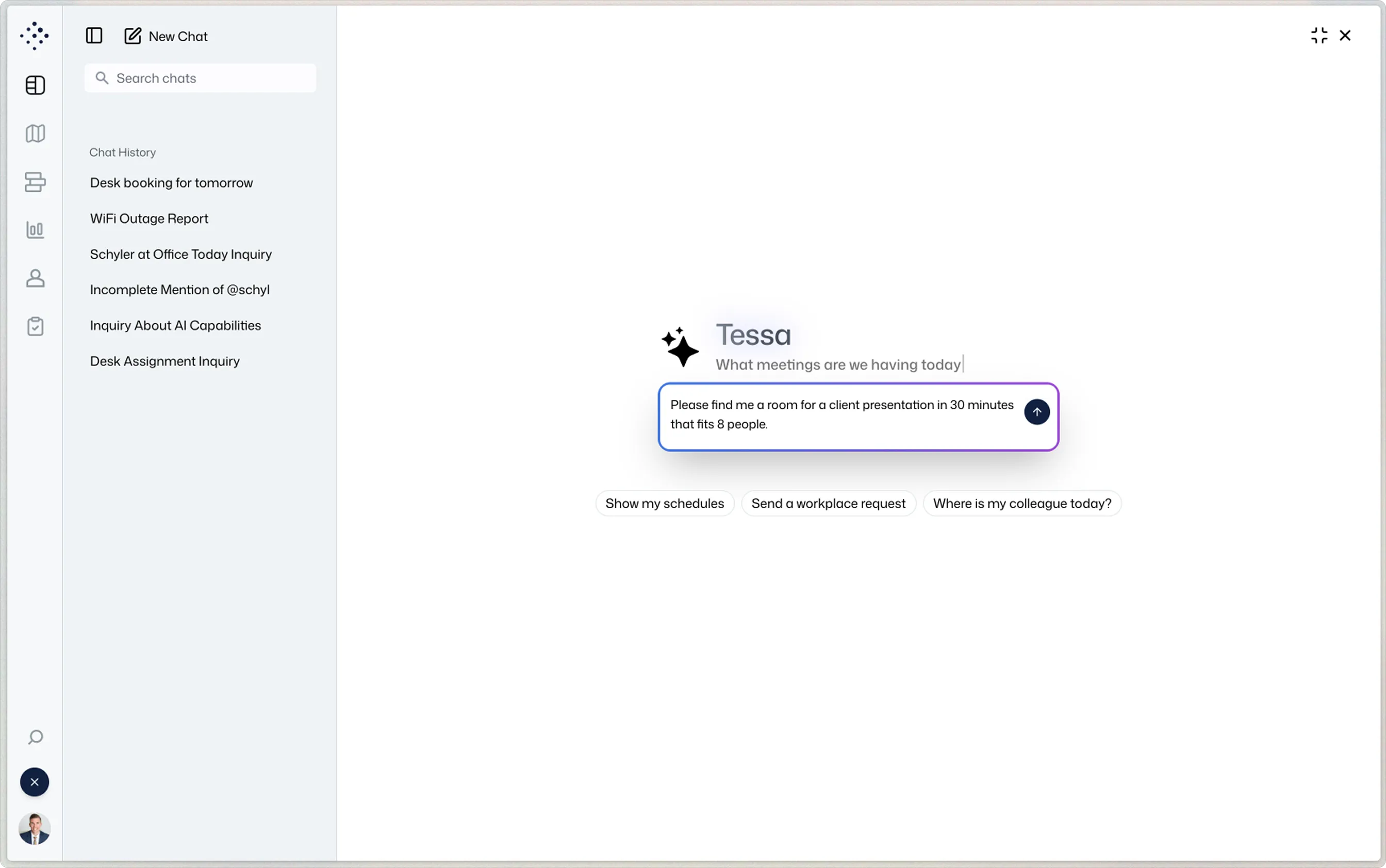
Tessa AI Advantage: AI-driven workplace assistants like Tessa can proactively suggest rooms based on meeting title, attendee count, and historical preferences. Instead of browsing a list of 40+ rooms, employees ask: "Tessa, find me a room for a client presentation in 20 minutes" and receive a single, optimal recommendation.
What It Is: Unified interface where employees can request AV setup, catering, or IT support as part of the room reservation, not as a separate ticket, plus data-driven dashboards showing utilization patterns.
How to Do It:
Why It Works: Employees get a single, predictable workflow. Facilities teams receive structured requests instead of scattered emails. Real estate decisions backed by occupancy data deliver measurable lease optimization.
People-First Architecture Insight: Point solutions create feature seams with fragmented UIs and redundant logins that kill adoption. If employees need one app to book a room, another to request catering, and a third to report issues, they'll bypass all three. Unified platforms eliminate friction by consolidating the entire employee experience into a single interface.
Real Estate ROI Formula:
Legacy workplace management platforms like Envoy, Robin, or calendar-only systems were built for back-office administration first. They prioritize facilities visibility, check-in compliance, and reporting dashboards. Employees experience these tools as digital hall monitors.
The result? Research shows that 96% of organizations struggle with poor digital adoption, and only 37% of companies rate their employee software adoption as "excellent" even with mandates and training programs.
Modern platforms flip the script. Tactic was built for the employee experience first, with admin visibility as a byproduct. Employees don't "comply" with the system but instead they use it because it genuinely saves time. When booking a room via Slack takes 15 seconds and delivers exactly what you need, adoption becomes organic.
The Tactic Difference:
This isn't just UX polish. It's strategic differentiation. When employees adopt workplace software voluntarily, you don't need change management campaigns or compliance enforcement. The ROI compounds.
Office space is one of your largest fixed costs. Yet most companies manage it with honor-system calendars, manual walkthroughs, and reactive problem-solving. Optimizing room reservations isn't about incremental efficiency—it's about transforming real estate from a cost center into a strategic asset with measurable ROI.
When you eliminate phantom meetings, you recover 20–30% of lost capacity without signing a new lease. When you enable just-in-time booking via tablets and mobile apps, you reduce the coordination tax dragging down every impromptu collaboration. When you unify service requests, you turn facilities from firefighters into strategic partners.
And when you deploy AI-driven workplace intelligence, like Tessa, you don't just automate booking. You create a learning system that gets smarter with every reservation, every no-show, every piece of feedback.
The Strategic Wedge: Companies that treat workplace software as employee productivity tools and not just compliance checkboxes unlock measurable results. Research from Gartner shows only 14% of organizations achieve digital adoption rates above 75% highlighting how rare true adoption success is without employee-first design.
Tactic specializes in workplace platforms built for employee experience first. We'd like to show you exactly how much your company is currently spending on phantom meetings (and how much you could recover!).
Schedule a Custom Demo: We'll map your floor plan, model your utilization data, and calculate your specific lease optimization opportunity. No generic slide decks. Just your numbers, your spaces, and your ROI.

A workplace experience platform that brings your hybrid team together.