
.webp)
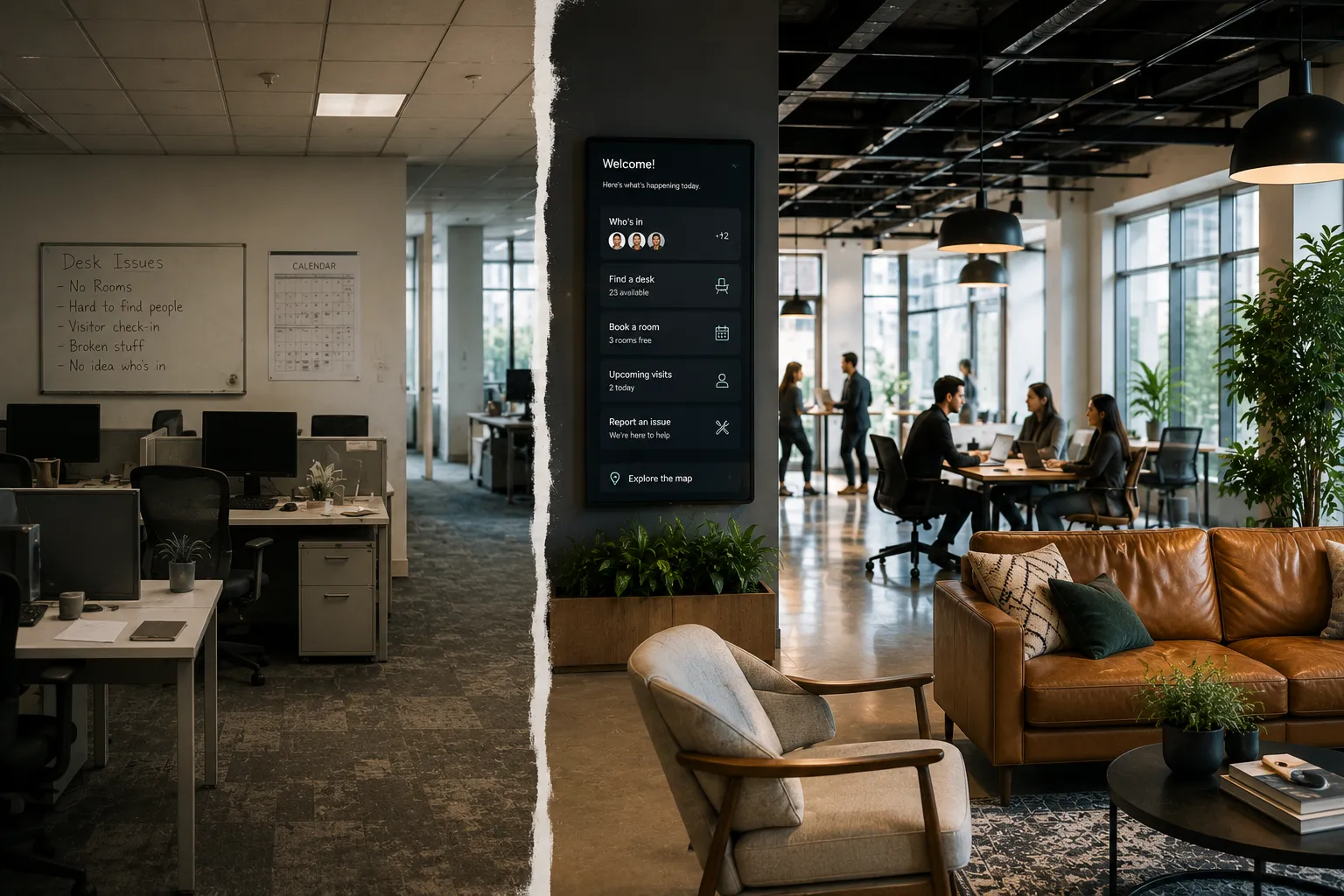
For years, people have argued about the future of the office.
Some say the office is dead.
Others say everyone needs to come back.
But the real answer is more practical.
The office is not dead. The bad office is.
Employees are not rejecting the office entirely. They are rejecting office experiences that feel inconvenient, disorganized, and not worth the commute.
They are rejecting offices where they cannot find a desk. Where every meeting room is booked but empty. Where their team is not there. Where visitor check-in is clunky. Where workplace requests disappear into Slack. Where no one knows which spaces are actually being used.
That does not mean the office has no value.
It means the office has to be better.
The short answer: The office is still valuable when it helps employees collaborate, focus, meet, connect, and get work done. But bad office experiences fail when desks, rooms, visitors, requests, maps, and workplace data are disconnected.
The future of the office is not about forcing people back.
It is about making the workplace worth coming into.
The office exists for a reason.
It helps people do things that are harder to do remotely.
It gives teams a place to:
Those things still matter.
The problem is that many offices were not designed for how people work now.
Hybrid work changed the office from a default location into an intentional destination.
That means the office has to earn the trip.
Employees do not need every office to feel like a luxury hotel.
They do not need free lunch every day.
They do not need a slide, a game room, or a perfect view.
Most employees want something simpler.
They want the office to work.
They want to know:
If the answer is yes, the office has value.
If the answer is no, employees will question the commute.
A bad office experience usually does not come from one big failure.
It comes from a series of small frustrations.
An employee comes in and cannot find their team.
Then they walk around looking for a desk.
Then they see every room booked, even though two rooms are empty.
Then they need a quiet space, but do not know where to go.
Then a visitor arrives, but the host notification does not happen.
Then a monitor is broken, but no one knows where to submit the request.
None of these issues are dramatic by themselves.
But together, they make the office feel broken.
In a good office, the workplace is easy to understand.
In a bad office, employees become the coordination system.
They message coworkers to ask who is in.
They ask around to find a desk.
They walk the floor looking for rooms.
They check calendars to guess if a room is actually free.
They send Slack messages when something is broken.
They explain directions to visitors manually.
They build workarounds because the workplace tools do not connect.
That is exhausting.
The more employees have to coordinate the office themselves, the less valuable the office feels.
Many office problems existed before hybrid work.
Hybrid work simply made them harder to ignore.
When most people came in every day, companies could rely on habit.
People knew where to sit. Teams were usually nearby. Room usage was more predictable. Visitors followed familiar patterns. Workplace teams could observe what was happening.
Now the workplace changes day by day.
Tuesday may be packed. Friday may be quiet. One floor may be full while another sits empty. A team may come in for a workshop but not have enough nearby seats. Meeting rooms may be overbooked because people reserve them just in case.
Hybrid work did not kill the office.
It made coordination more important.
A good office experience does not feel complicated.
Employees should be able to:
Workplace teams should be able to:
When this works, the office feels easy.
When it does not, even a beautiful office can feel frustrating.
A company can have enough desks and still have a bad office experience.
Why?
Because employees do not just need any desk.
They need the right desk for the day.
They may need to sit near their team. They may need monitors. They may need quiet space. They may need to be near a meeting room. They may need to know which desks are available before they commute.
Desk booking helps solve this, but only when it is easy to use and connected to the broader workplace experience.
A desk is not valuable if employees cannot find it, book it, or use it in the context of their day.
Meeting rooms are where many office frustrations become obvious.
Employees come in for collaboration, but then cannot find a room.
Rooms appear fully booked, but some are empty.
Large rooms are taken by small meetings.
Rooms are missing the right equipment.
Recurring meetings block space long after they stop being useful.
This creates a false sense of scarcity.
The company may not need more rooms.
It may need better room booking, check-ins, auto-release rules, room displays, and utilization analytics.
A room that is booked but unused is not a scheduling problem.
It is a workplace coordination problem.
Employees should not have to memorize the office.
They should not rely on outdated PDFs.
They should not need to ask where every room, desk, or amenity is located.
Interactive maps help employees find:
Maps are especially important for enterprise companies with multiple floors, buildings, or locations.
A good map does more than show where things are.
It helps employees use the office with confidence.
Small workplace issues have a big impact.
A broken monitor. A missing chair. A room that is too hot. A messy meeting space. A catering request. A move request. A visitor setup issue.
If employees do not know where to submit requests, they improvise.
They send a Slack message.
They email someone.
They mention it in passing.
They assume nothing will happen.
Over time, that reduces trust in the workplace experience.
A workplace request system helps employees get support and helps workplace teams track what needs attention.
Good offices feel cared for.
Bad offices feel unmanaged.
Leadership wants to know if the office is working.
But many companies still rely on incomplete signals.
Badge data may show who entered the building, but not where they worked.
Calendar data may show rooms were booked, but not whether they were used.
Spreadsheets may show seating plans, but not actual behavior.
Slack messages may reveal complaints, but not patterns.
Without connected data, workplace teams are forced to guess.
That makes it hard to answer important questions:
The bad office runs on assumptions.
The better office runs on visibility.
The future office is not necessarily bigger.
It is not necessarily smaller.
It is more coordinated.
That means desks, rooms, visitors, maps, requests, moves, and analytics work together.
Employees can plan their day before they arrive.
Workplace teams can see what is happening across locations.
Leaders can make better decisions with better data.
The office becomes easier to use and easier to manage.
That is what makes the office worth keeping.
Workplace management software helps companies connect the operational pieces of the office.
A modern platform can support:
The value is not just having more tools.
The value is having the right workflows connected in one place.
That is how companies move from a bad office experience to a workplace employees can actually use.
Enterprise companies have more complexity.
More employees. More locations. More floors. More teams. More visitors. More policies. More security requirements. More requests. More data.
A lightweight point solution may solve one piece of the workplace, but enterprise teams often need a connected platform.
They need something that is powerful enough for admins and simple enough for employees.
That balance matters.
If the platform is too limited, workplace teams cannot scale.
If the platform is too complicated, employees will not use it.
The best enterprise workplace management software supports both sides.
Tactic helps companies create a workplace that is easier to use, manage, and improve.
With Tactic, teams can connect:
This gives employees a simpler way to use the office and gives workplace teams better visibility into how the workplace is operating.
The office is not dead.
But the old way of managing the office is not enough anymore.
Tactic helps companies build a better version.
The office is not dead. The bad office is.
Employees still value the office when it helps them collaborate, focus, meet, connect, and get support.
But when the office is hard to use, disconnected, and frustrating, employees will question why they came in.
Companies that want the office to matter need to make it easier, more coordinated, and more useful.
That is what separates a workplace worth coming into from one employees avoid.
No. The office is not dead, but bad office experiences are becoming harder to justify. Employees still value offices that help them collaborate, focus, meet, and connect.
Employees may avoid the office when they cannot find desks, meeting rooms are unavailable, teammates are not there, requests go unresolved, or the office does not feel worth the commute.
Companies can improve the office with better desk booking, room booking, team visibility, interactive maps, visitor management, workplace requests, and utilization analytics.
An office is worth coming into when it helps employees do something better than they could do from home, such as collaborate, meet, connect, or access the right spaces and support.
Workplace management software connects desks, rooms, maps, visitors, requests, moves, and analytics so employees can use the office more easily and workplace teams can manage it more effectively.

A workplace experience platform that brings your hybrid team together.