Desk Booking

Desk booking your team will love.

Make coming to the office worth it. Help employees coordinate schedules, see who’s in, and book the right desk in just a few clicks.
Trusted by fast growing companies

OE logo2020INC logoThe Paak logoToogether logoEphicient logo

How it works

Give employees a simple way to find the right desk, reserve it, and check in without creating extra work for your team.

Get started
01

Find your perfect spot

Filter by neighborhood, amenities, or find where your team is sitting using the interactive map.

02
Book Desk
Confirmed
Desk confirmed Calendar invite sent

Book it in seconds

Select a date, pick a seat, and confirm. Tactic handles calendar invites and notifications automatically.

03
Status Checked In
Desk secured

Check in instantly

Secure your spot with Slack, Teams, Wi-Fi, or in-app check-in. Unused desks are automatically freed up.

Designed for connection,
managed with control.

Give employees the visibility they need to coordinate office days, while giving admins the data and controls to manage the workplace.

Coordinate with your favorite people.

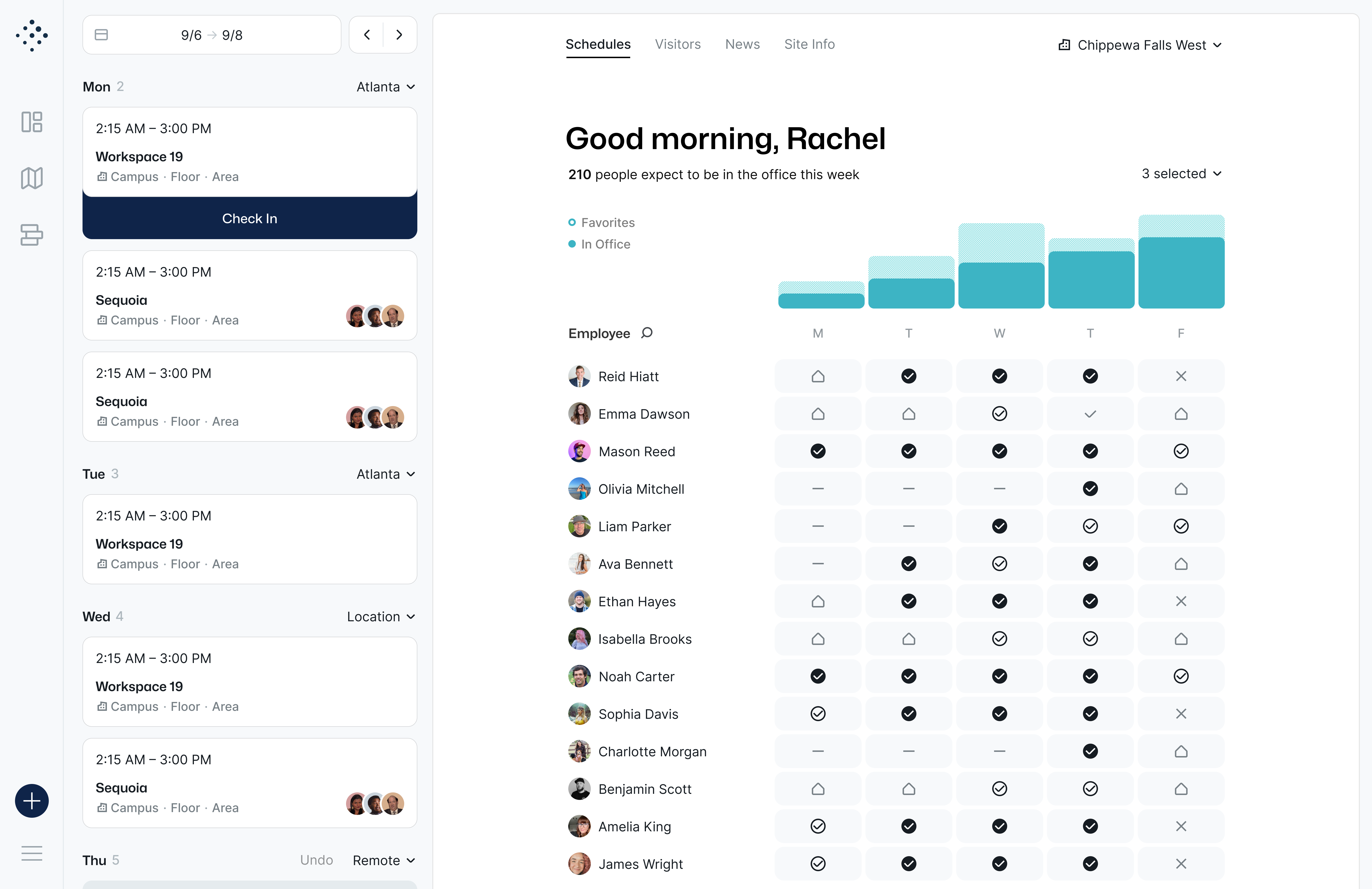
Work is better together. See where your team is sitting, view schedule overlaps, and book a desk nearby in one click.

Start coordinating
My Favorites
Calyn Erickson3rd Floor • Desk 12
Scottie Allen4th Floor • Desk 08
AJ GianniRemote Today
Book nearby
Dual Monitors
Standing

Find a space that fits your flow.

Quiet focus? Dual monitors? Standing desk? Filter by the amenities that matter so you can be productive.

Explore filters

Search anything, instantly.

No more wandering the floor. Type a name to find a colleague, check availability across floors, or find a specific workspace.

Try global search
📁
Q3 ReportsFile
👥
Marketing TeamDepartment
📍
Main Conf RoomSpace

Book on behalf of others.

Support executives, guests, and teams with delegated booking. Admins and EAs can reserve desks for anyone in the organization.

See delegation
Booking For
Audrey Yun
Audrey...
Date
Tomorrow, Dec 18
Confirm Booking
Global Policies

Advance Booking Window

Limit reservations to 14 days

Require Check-in

Release desk if no show

Set smart guardrails.

Automate your office rules. Set booking windows, require check-ins, and manage capacity without becoming the desk police.

Configure policies

Data that drives decisions.

Track peak days, department usage, and booking trends so you can optimize the office with real workplace data.

View analytics
Weekly Desk Usage
M
T
W
T
F
Meet Tessa AI
Just ask. She’ll find the right desk.

Tell Tessa what you need, like a standing desk near your team, and she’ll search the floor plan, recommend the best option, and help you book it.

Search by team, amenities, or preference
Get smart desk recommendations
Book without digging through the map
See Tessa in action

Tessa AI

Online • Intelligent Agent
I need a standing desk near my team tomorrow.
I found Desk 3-05. It has a standing setup and is right next to Sarah and Mike.
North neighborhood
Desk 3-05 3rd Floor • North Neighborhood
Available
Book it.
Done! I’ve added it to your calendar.
David Osmer

Tactic is so much easier to use and way more intuitive than the tool we were using before. Whenever we’ve needed anything, the team has been right there to help.

David Osmer NEST
Flexible resource booking

Need to book more than desks?

Tactic can support parking, lockers, equipment, and other workplace resources from the same booking platform.

Parking

Let employees book parking when they reserve a desk or assign spots for specific teams.

Popular

Lockers

Support flexible workers with day-use lockers for bags, gym gear, and equipment.

Equipment

Create custom resource types for monitors, AV gear, podcast rooms, or anything bookable.

Custom resources Create bookable items around the way your office actually works.
Shared rules Apply permissions, availability, and booking windows across resources.
One experience Keep employees booking desks, rooms, and resources in one place.

Desk booking that fits into your existing workflow.

Connect Tactic to the calendars, collaboration tools, and identity systems your employees already use every day.

View all integrations →

Calendar-aware booking

Make desk and office reservations fit naturally into employee schedules.

Outlook
Google Calendar

Reminders where work happens

Send booking reminders and check-in prompts through the tools people already use.
Slack
Microsoft Teams

Secure access and provisioning

Control who can access Tactic with identity, SSO, and directory sync support.

Microsoft Entra ID
Okta
Flexible plans

Pricing built for modern workplaces.

Start with the workplace tools you need today, then scale into rooms, visitors, AI, integrations, and enterprise controls as your team grows.

Core

For teams getting started with desk and room booking.

Desk booking
Room booking
Interactive maps
Most popular
Pro

For hybrid teams managing people, spaces, visitors, and support.

Visitor management
Workplace requests
Tessa AI assistant
Enterprise

For larger organizations needing advanced controls and support.

SSO & directory sync
Custom integrations
Dedicated success support
Desk booking controls

Everything admins need. Nothing employees hate.

Smart search & filters

Find open desks by location, floor, team, equipment, or favorite amenities.

Team neighborhoods

Keep departments and project teams together with assigned zones.

Tessa AI assistant

Let employees ask Tessa to find and book the right desk for them.

Automated check-in

Check employees in through Wi-Fi, Slack, Teams, or the app.

Reminders & release

Send gentle nudges and automatically release unused desks.

Priority seating

Reserve specific desks for leaders, accommodations, or key roles.

Usage insights

Track attendance, desk usage, peak days, and workplace trends.

Team visibility

See who’s coming in and plan office days without guesswork.

Mobile app

Book desks and rooms wherever work starts.

Employees can reserve a desk, check in, see who’s coming in, and manage office days from the Tactic app.
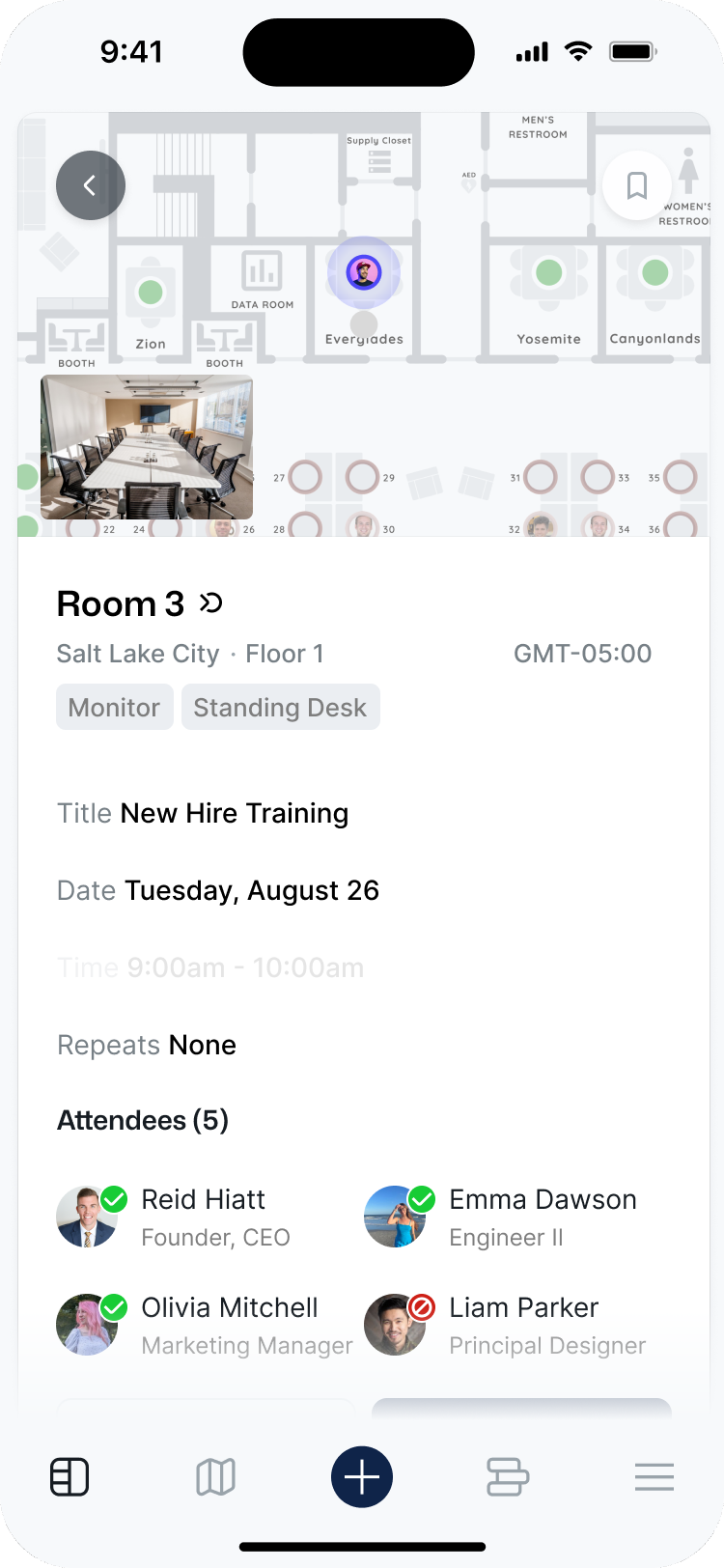
Desk and room booking on the go
Mobile check-in and reservation updates
SSO-friendly access for employees
Reservation updated
Tactic Mobile App

Desk booking questions, answered.

Everything you need to know about setting up desk booking with Tactic.

How long does it take to set up?
Most teams are live quickly. Upload your floor plans, sync your user directory, configure your booking rules, and invite your team. Tactic can also help build your interactive maps for you.
Do I need special hardware or sensors?
No hardware is required. Employees can check in through the mobile app, Slack, Microsoft Teams, Wi-Fi, or QR codes. Sensors can be supported for teams that want live occupancy visibility, but they are not required to get started.
Does Tactic work with Slack and Microsoft Teams?
Yes. Tactic can send reminders and check-in prompts through Slack and Microsoft Teams so employees can manage office days from the tools they already use.
Can I assign permanent desks for specific people?
Yes. You can assign desks to specific employees, reserve areas for teams, set permissions, and keep the rest of the office flexible for hot desking or hoteling.
Can employees see who else is coming in?
Yes. Employees can see coworker schedules, office attendance, and where teammates are sitting, making it easier to coordinate meaningful office days.