.webp)
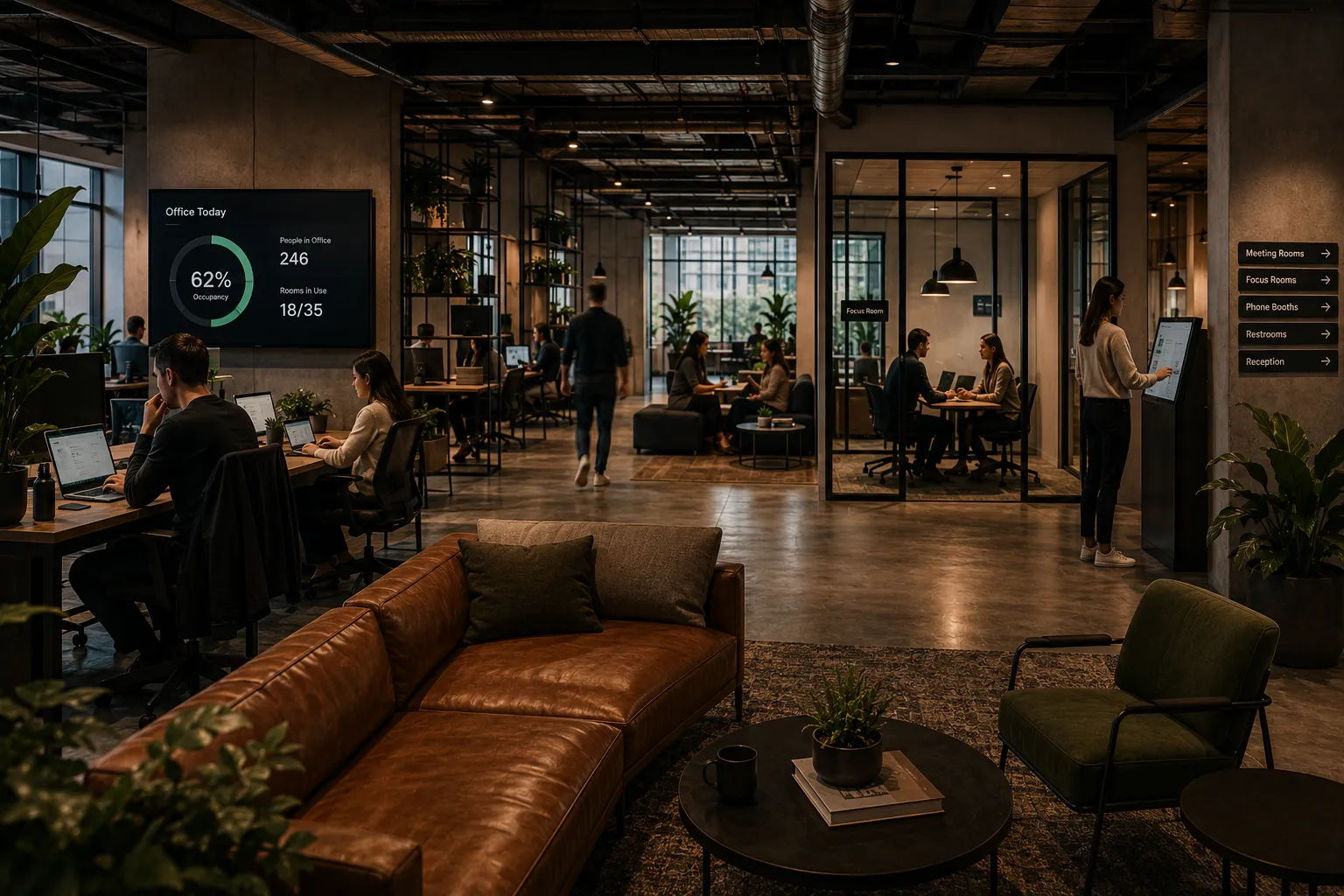
The office can look full and empty at the same time.
On Tuesday morning, employees walk in and cannot find the right desk. Every meeting room looks booked. Someone is wandering the floor trying to find their team. A visitor is waiting in the lobby. A broken monitor was reported in Slack, but no one knows if it was fixed. Leadership wants to know if the company has too much space, but the data is scattered across calendars, badge swipes, spreadsheets, and guesswork.
The strange part?
The company may actually have plenty of space.
The problem is not always the amount of space. The problem is often the lack of coordination.
The short answer: Offices feel broken when desks, rooms, visitors, requests, maps, and utilization data are managed in disconnected systems. Even if a company has enough physical space, employees can still struggle to find the right place to work, meet, collaborate, and get support.
In a hybrid workplace, space alone does not create a good office experience.
Coordination does.
Before hybrid work, office planning was more predictable.
Most employees came in most days. Teams sat in assigned areas. Meeting room demand followed more familiar patterns. Workplace teams could often rely on habits, observation, and static seating charts.
Hybrid work changed that.
Now workplace teams need to understand:
Without connected systems, the workplace becomes hard to read.
The office may not be physically broken.
But the experience feels broken because no one has a complete picture of what is happening.

A company may have enough desks on paper.
But that does not mean employees can easily find the right desk.
Employees care about more than whether a desk exists. They want to know:
When employees cannot answer those questions quickly, the office feels chaotic.
They may walk around looking for a place to sit. They may sit far from their team. They may avoid coming in next time because the experience felt frustrating.
The issue is not always desk count.
It is desk visibility.
Few things make an office feel more broken than seeing every meeting room booked while empty rooms sit unused.
This usually happens because:
From the employee’s perspective, there are no rooms available.
From the workplace team’s perspective, the data may say rooms are fully utilized.
But in reality, the office may have a room management problem, not a room shortage.
This is why meeting room utilization matters.
A booked room is not always a used room.
Hybrid work is not just about individual attendance.
It is about coordination.
If employees come in on different days than their teammates, the office can feel pointless. Someone may commute in expecting collaboration, only to spend the day on video calls with people working from home.
This creates a frustrating question:
“Why did I come into the office?”
A good workplace experience helps employees understand when their team will be there, where people are sitting, and what spaces are available for collaboration.
Without that visibility, office attendance becomes random.
And random attendance makes the office feel less valuable.
A static floor plan might show where desks and rooms are located.
But modern employees need more than a PDF map.
They need an interactive map that helps them answer practical questions:
If maps are outdated, hidden, or only useful to admins, employees rely on memory, guesswork, or asking someone else.
That creates friction.
Interactive office maps turn the workplace into something employees can actually navigate.
Every office has issues.
A chair breaks. A monitor stops working. A room is too cold. A whiteboard marker is missing. A conference room needs setup. Someone needs catering. A move request needs approval.
In many companies, those requests are scattered across:
The result is predictable.
Requests get missed. Employees do not know where to go. Workplace teams do not have visibility. Leadership cannot see patterns.
A workplace request system helps turn scattered complaints into trackable workflows.
That matters because employee experience is often shaped by small operational details.
Visitors are part of the workplace experience too.
Clients, candidates, vendors, contractors, and partners all need a smooth process.
A visitor may need:
If visitor management is disconnected from room booking, maps, and host workflows, the process becomes manual.
The guest waits. The host is not notified. The front desk improvises. The experience feels less professional.
Visitor management works best when it is connected to the rest of the workplace.
Executives want answers.
They want to know:
But those answers are hard to trust when data is scattered.
Badge data may show someone entered the building, but not where they worked.
Calendar data may show a room was booked, but not whether it was used.
A spreadsheet may show assigned seats, but not actual attendance.
A Slack message may mention a workplace issue, but not whether it was resolved.
To make better workplace decisions, companies need connected utilization data.
Not perfect data.
Better, more actionable data.
Most workplace problems are connected.
A desk booking problem affects team coordination.
A room booking problem affects employee productivity.
A visitor management problem affects the meeting experience.
A workplace request problem affects employee trust.
A map problem affects navigation and adoption.
An analytics problem affects leadership decisions.
When each workflow lives in a separate system, the workplace becomes harder to operate.
That is why the office can feel broken even when the company has enough space.
The issue is not the square footage.
The issue is the system behind it.
A better workplace experience is not complicated.
It should help employees answer simple questions:
And it should help workplace teams answer operational questions:
The workplace should feel easy for employees and visible for admins.
That is the balance enterprise companies need.
An all-in-one workplace management platform helps connect the workflows that make the office work.
Instead of managing desks, rooms, visitors, maps, requests, moves, and analytics separately, companies can bring them together.
A connected platform can support:
The value is not only that these features exist.
The value is that they work together.
That is what helps turn a confusing office into a coordinated workplace.
Enterprise companies have more complexity.
More offices. More floors. More teams. More admins. More security requirements. More integrations. More reporting needs.
A lightweight point solution may solve one problem, but enterprise workplace teams need something broader.
They need a platform that can support:
But the platform still needs to be simple enough for employees to use.
That is the key.
Enterprise-ready does not have to mean employee-unfriendly.
Tactic helps companies manage the modern workplace in one connected platform.
With Tactic, companies can bring together:
This helps employees find and use the office more easily while giving workplace teams better visibility into how spaces are being used.
For companies that feel like their office is harder to manage than it should be, Tactic helps connect the pieces.
Because the modern office does not just need more space.
It needs better coordination.
Your office may feel broken even if you have plenty of space because the workplace is not being managed as one connected experience.
Employees need to find desks, rooms, teammates, visitors, and support.
Workplace teams need to manage maps, requests, moves, policies, and utilization.
Leadership needs data they can trust.
When all of that is disconnected, the office feels confusing.
When it is connected, the office becomes easier to use, easier to manage, and easier to improve.
Your office may feel crowded because employees cannot easily find available desks, teams are concentrated on the same days, or desk availability is not clearly visible.
Rooms are often booked but empty because meetings are canceled, recurring bookings stay active, employees forget to release rooms, or there is no check-in process.
Companies can improve the hybrid office experience with desk booking, room booking, team visibility, interactive maps, visitor management, workplace requests, and utilization analytics.
The biggest problem is often disconnected workflows. Desks, rooms, visitors, requests, maps, and analytics are managed separately, making the workplace harder to use and harder to manage.
Workplace management software helps connect office workflows in one platform, making it easier for employees to use the office and easier for workplace teams to manage space, requests, visitors, and analytics.

One platform for your entire workplace.