
Microsoft TeamsSlack
Tactic integrations

Your workplace. Where work already happens.

The full Tactic interface inside Microsoft Teams. Bookings, reminders, and check-ins in Slack. Workplace conversations in ChatGPT and Claude. Bring your workplace into the apps your team already uses.

Microsoft TeamsEmbedded app experience
TacticSame workplace. Inside Teams.
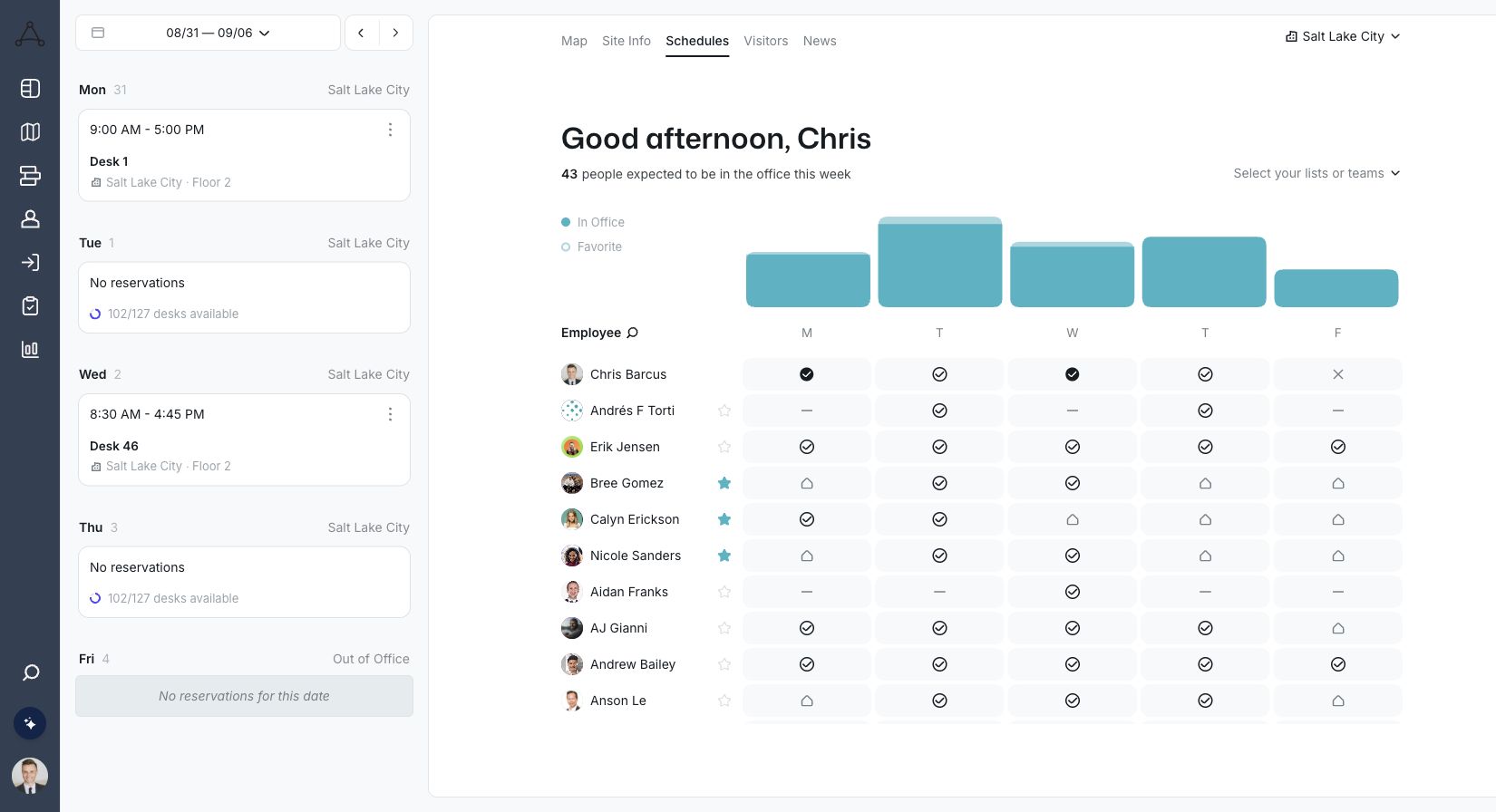
Tactic team schedule dashboard
Real Tactic product screenshots in an illustrated Teams frame. Choose a view to explore.
Microsoft Teams
Microsoft Teams

All of Tactic. Right inside Teams.

Open the Tactic app in Teams and use the full interface. Plan office days, find coworkers, explore the map, and book the right space without switching to a separate browser tab.

Full embedded interfaceTeam schedules & mapsDesk & room reservations
MORE THAN NOTIFICATIONS

The familiar tools. One less place to go.

Employees get the Tactic experience inside the app that already anchors their day. The schedule, the map, and their reservations stay connected.

Your organization controls app installation in Teams. Tactic features and actions depend on the user’s access and workplace configuration.

Slack
Slack

Stay in the conversation. Take care of the booking.

Reserve a desk or meeting room, receive reservation reminders, and check in through Slack. Keep everyday booking tasks close to the conversations that create them.

  • Book desks and meeting rooms from Slack
  • Receive automated reservation reminders
  • Check in to a reservation from the message
Slack setup guide
Tactic in Slack
Tactic APP

Your reservation is coming up. Check in when you arrive.

Your office day

Desk reservation · Today

Check-in from Slack
Illustrative notification, not a live reservation.

Your workplace.In the conversation.

Use ChatGPT or Claude to book desks and rooms, find colleagues on a map, check in, create requests and open reports through Tactic cards.

ChatGPTClaude
Setup guide →

Requires Tactic AI access and uses your Tactic permissions.

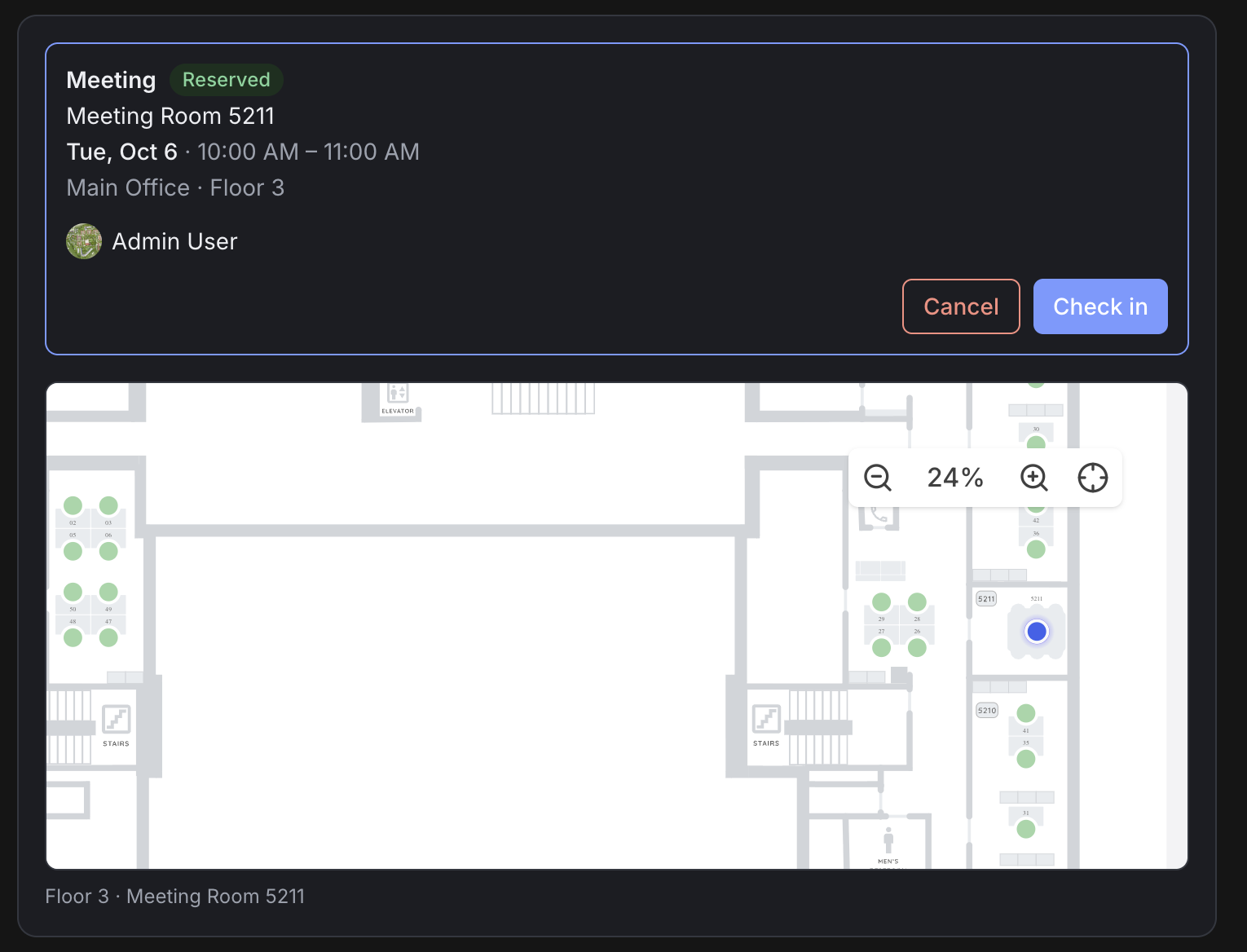
Tactic room reservation card with check-in and cancel controls above a floor map in Claude
Room reservation and floor map in Claude.
Connect the rest of your workplace

Everyday apps first. Your wider stack, connected.

Bring calendars, identity, directories, and access systems into the picture without making employees learn a new workflow for every task.

CALENDARS

Keep room bookings in sync.

Bidirectional Outlook and Google Calendar sync connects Tactic room reservations to the calendars people already manage.

Explore room booking →
ACCESS & ARRIVALS

Connect the arrival process.

Review access-control integrations alongside your check-in strategy. Confirm the supported signals and configuration for your workplace.

Find your systems.

Explore providers and standards by category, or search for a name. Each connection has its own supported workflows and setup requirements.

27 connections

AI assistants

Connect Tactic through MCP. Requires enabled AI features.

Collaboration

Keep Tactic in the tools people already use.

Microsoft Teams
Microsoft TeamsThe full Tactic interface inside Teams.
Slack
SlackDesk and room bookings, reminders, and check-ins.

Calendars & meetings

Connect room reservations and meeting tools.

Google Calendar
Google CalendarBidirectional room calendar sync.
Microsoft Outlook
Microsoft OutlookBidirectional room calendar sync.
Zoom
ZoomVideo conferencing for meetings.
Microsoft Teams
Microsoft Teams meetingsAdd Teams meeting links to room bookings.

HRIS & directory sync

Connect the employee information behind your workplace.

Workday
WorkdayConnect employee directory information.
BambooHR
BambooHRConnect employee directory information.
ADP
ADPConnect employee directory information.
HiBob
HiBobConnect employee directory information.
Rippling
RipplingConnect employee directory information.
Active DirectoryConnect your employee directory.
SCIMProvision people through compatible directory systems.Open standard
Google
Google WorkspaceConnect your employee directory.

SSO & identity

Use your organization’s identity and sign-in setup.

Microsoft Entra ID
Microsoft Entra IDOrganization sign-in and directory connection.
Okta
OktaOrganization sign-in and identity.
Auth0
Auth0Organization sign-in and identity.
PingFederate
PingFederateFederated organization sign-in.
Duo
DuoOrganization identity and access.
Cloudflare
CloudflareOrganization identity and access.
SAMLSingle sign-on with compatible identity providers.Open standard
Google
Google WorkspaceUse Google for workplace sign-in.

Badge readers & access control

Connect building access with your workplace arrival strategy.

Avigilon
AvigilonConnect physical access and arrival workflows.
Brivo
BrivoConnect physical access and arrival workflows.
Honeywell
HoneywellConnect physical access and arrival workflows.
Provider support does not mean every product, device, or workflow is supported. Confirm the connector, provisioning method, badge events, and configuration your workplace needs.
Integration questions

Clear answers. A better next step.

The details that matter when choosing your workplace platform.

Explore pricing →
Can the entire Tactic interface run inside Microsoft Teams?

Yes. The Tactic Teams app embeds the full Tactic interface within Microsoft Teams, so employees can use the workplace experience without opening a separate browser window. Available actions reflect their Tactic access and configuration.

Is the Teams integration just a notification bot?

No. The embedded app brings Tactic’s interface into Teams, including team schedules, maps, and workspace reservations. It is a workplace experience within Teams, not only a stream of alerts.

What can employees do through Slack?

Tactic’s Slack integration supports desk and room reservations, automated reservation reminders, and check-ins. Install the Tactic app in your Slack workspace and connect the employee’s Tactic account. The linked setup guide explains the steps.

Does Tactic sync with Outlook and Google Calendar?

Yes. Tactic room booking supports bidirectional synchronization with Outlook and Google Calendar. Confirm the calendar permissions and resource configuration with your administrator during setup.

Can we connect our identity provider and employee directory?

Yes. Tactic supports SSO and Directory Sync as separate workflows. SSO handles authentication; Directory Sync updates employee attributes and group memberships. Your setup depends on the provider, permissions, and configuration. Review the setup guide and confirm commercial requirements with Tactic.

What does IT need before setting up SSO?

A Tactic admin account, administrator access to the identity provider, and your organization’s owned email domains. Tactic Support configures authorized domains; your IT team then completes and tests the provider-specific setup.

How do we confirm support for our integration requirements?

Bring your systems, required workflows, and security requirements to a demo. We’ll review availability, setup, permissions, and any plan or configuration requirements. The directory is a starting point, not a promise that every connector has identical capabilities.

Fits the way your team works

Bring your stack. We’ll bring it together.

See Tactic inside Teams, explore Slack and AI assistants, and map out the connections your workplace needs.