Start with your team’s week.
Scan working plans and expected office attendance. Find a day when the people you want to collaborate with are coming in.

Know who’s coming in, choose a day with your team, and find a desk nearby. Turn separate schedules into better days together.
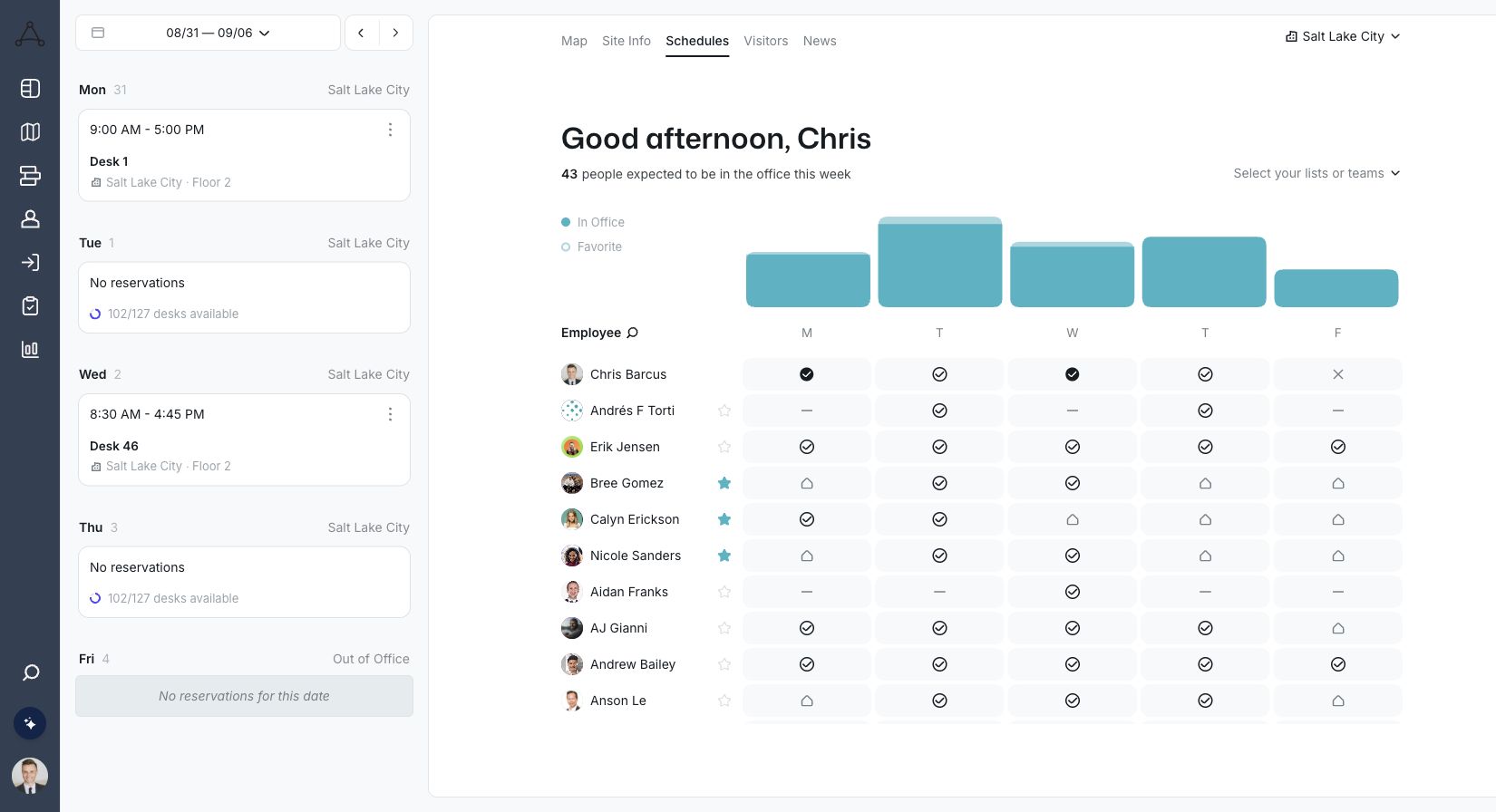
Give employees a clear path from “Who’s in?” to a day that feels worth showing up for.
Scan working plans and expected office attendance. Find a day when the people you want to collaborate with are coming in.
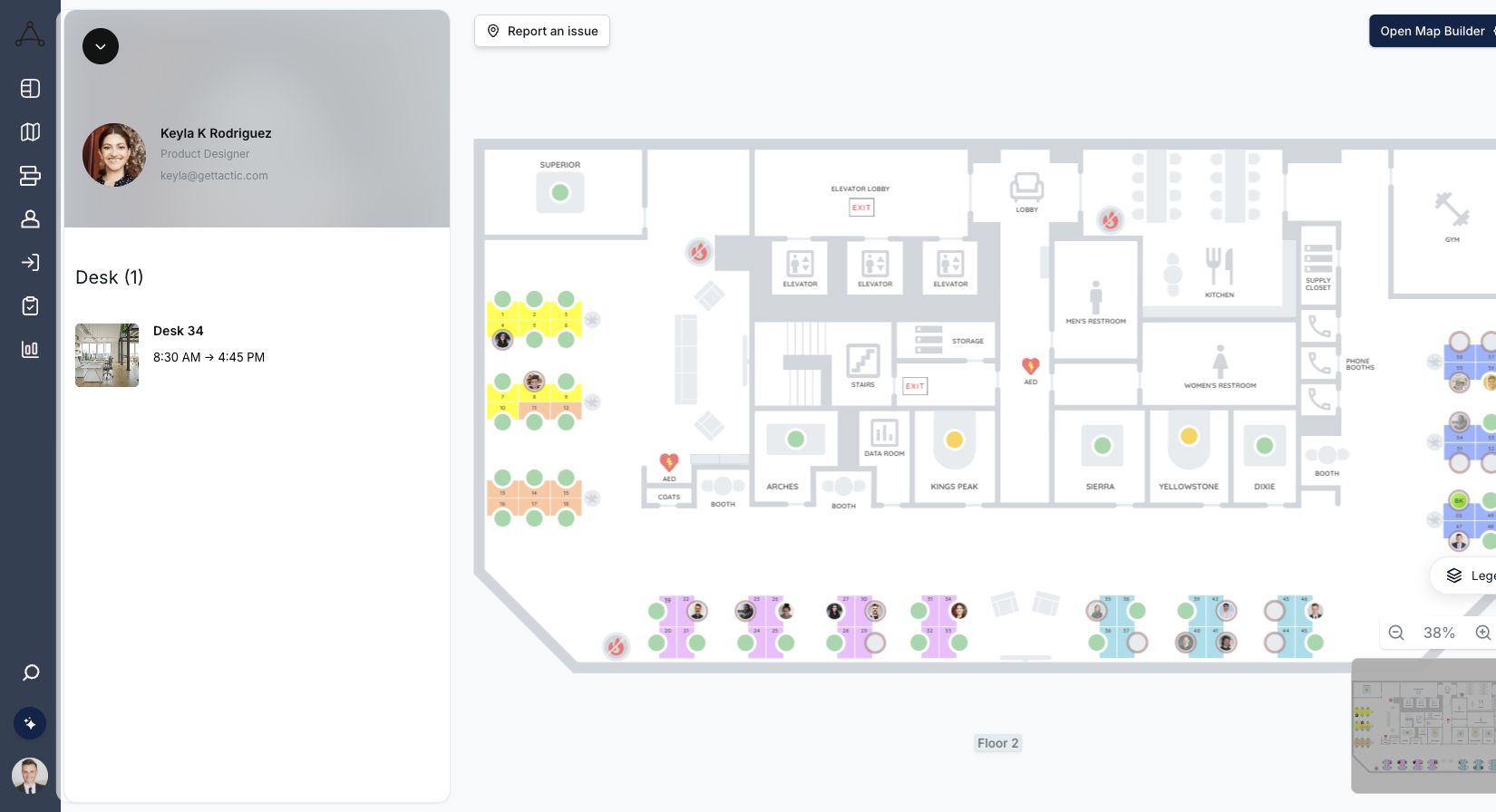
Use the People view on the office map to find a colleague. See where they are sitting before you choose your own spot.
Choose an available desk nearby, with the amenities you need. Keep your office plan and booking in the same workplace experience.
Explore desk booking →The office is more useful when people can find each other. Connect the schedule to a real place, then book a desk close to the conversation.

Use the full Tactic interface inside Microsoft Teams. In Slack, book spaces, get reservation reminders, and check in without leaving the conversation.
Explore Slack & Teams →Use expected demand to prepare the workplace. Then compare reservations with check-ins to understand how plans translate into actual arrivals.
Keep office-day coordination and utilization reporting connected, while being clear about what each signal means.
Explore Office Insights →The details that matter when choosing your workplace platform.
Explore pricing →Office Days helps employees and teams coordinate when and where they work. People can review team schedules, see who plans to be in the office, and connect those plans with desk booking and the office map.
Yes. Tactic’s team schedule dashboard shows working plans across the week. Use that shared view to choose an office day with the people you want to work alongside.
Yes. Use the People view on the map to find colleagues and see where they are sitting. From there, review available desks and choose a spot that works for your day.
An office plan or reservation records someone’s intention to come in. A check-in confirms arrival through your configured process. Tactic’s reporting helps teams compare reservations and check-ins without treating them as the same thing.
Yes. The Tactic Teams app embeds the full Tactic interface within Microsoft Teams. Tactic’s Slack integration supports desk and room bookings, reservation reminders, and check-ins.
Yes. Use Office Insights to explore reservation and check-in patterns by day, team, office, or workspace. Those patterns can inform capacity and workplace planning alongside the schedules employees use to coordinate their week.
Help your team choose the day, find each other, and make the most of the office.

A workplace experience platform that brings your hybrid team together.