
.webp)
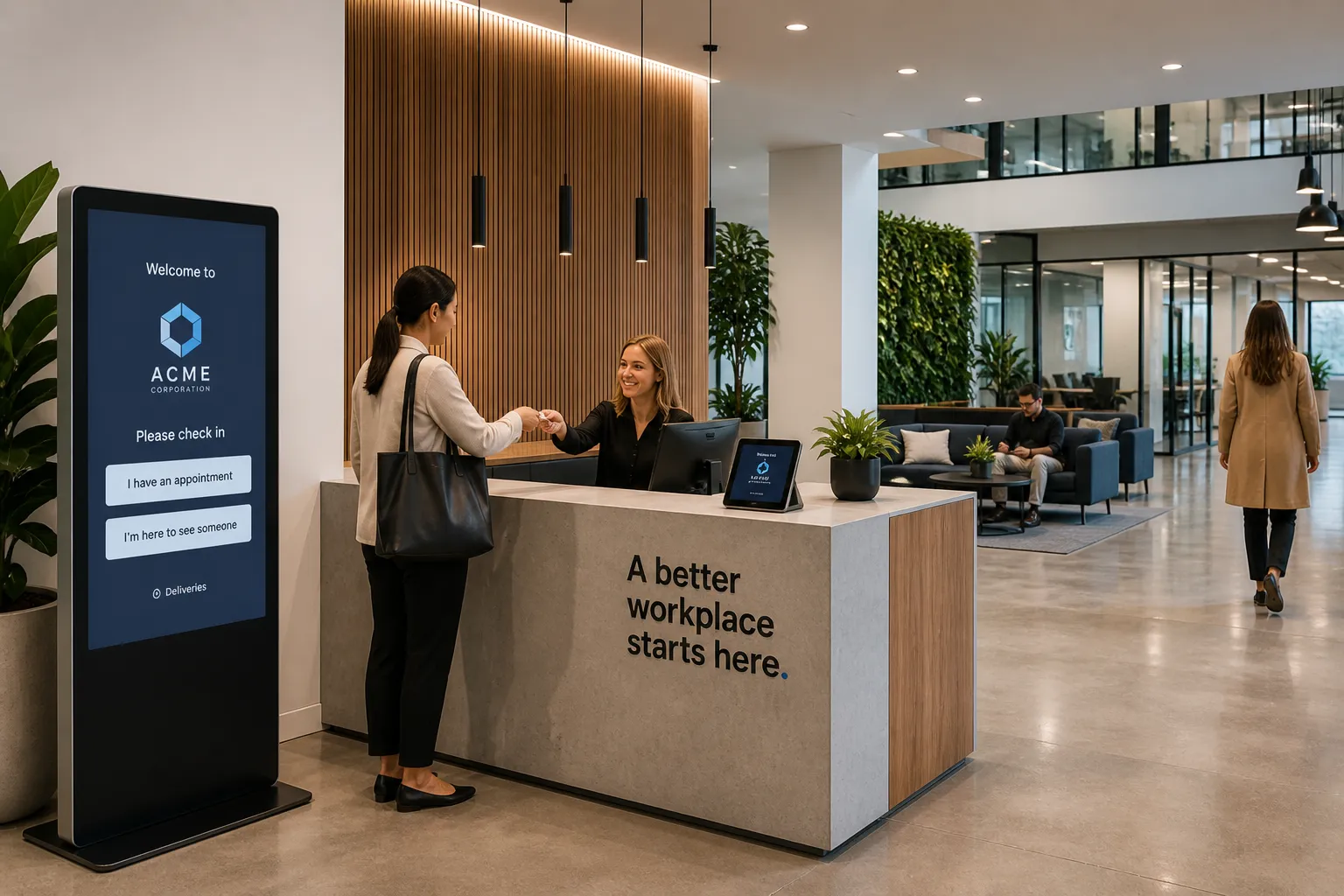
What Is Visitor Management Software? How Modern Offices Manage Guest Check-Ins
Visitor management software helps companies manage the people who come into their office, including guests, clients, vendors, contractors, candidates, and delivery personnel.
For many organizations, the old process looked like this:
A visitor walks into the lobby, signs a paper logbook, waits for someone at the front desk to call their host, and receives a handwritten badge if one is available.
That process is slow, manual, and difficult to track.
Modern offices need something better.
The short answer: Visitor management software replaces paper sign-in sheets with a digital check-in process that helps companies register visitors, notify hosts, print badges, collect signatures, store visitor logs, and create a more secure and professional front desk experience.
It is not just about checking people in.
It is about creating a safer, smoother, and more organized workplace.
Visitor management software is a digital system for managing guests who enter a workplace.
It typically allows companies to:
Instead of relying on a paper sign-in sheet, companies use software to create a consistent visitor experience.
Companies use visitor management software for several reasons.
The lobby is often the first physical touchpoint a guest has with a company.
A modern check-in experience feels more polished than a clipboard and paper logbook.
Visitors can check in quickly, follow clear instructions, and notify their host automatically.
Companies need to know who is in the building.
Visitor management software helps maintain a record of:
This creates better visibility than a paper log.
Manual check-ins create unnecessary work.
Visitor management software can automate:
That allows front desk and workplace teams to focus on higher-value work.
Some visitors may need to sign NDAs, safety acknowledgments, privacy notices, or other documents before entering the office.
Visitor management software can help collect and store those records.
This is especially useful for companies with security, legal, or compliance requirements.
As offices become more flexible, visitor processes need to be consistent across locations.
A digital system helps standardize check-ins across offices, floors, and regions.
A typical visitor check-in process looks like this:
This creates a consistent and trackable process from arrival to departure.
Pre-registration allows employees to invite guests before they arrive.
This can make check-in faster because the visitor information is already captured.
It can also help workplace teams know who is expected on-site.
Many companies use a tablet or kiosk in the lobby.
Visitors can check in without waiting for someone to manually enter their information.
When a visitor arrives, the system can notify the host through email, Slack, Microsoft Teams, or another communication channel.
This reduces waiting time and improves the guest experience.
Visitor badges help employees identify guests in the office.
Badges may include:
Visitor management software can collect signatures for documents like:
This helps companies avoid paper forms and manual recordkeeping.
Digital visitor logs make it easier to search and report on visitor activity.
Instead of flipping through paper records, workplace teams can review visitor history by date, location, host, or visitor type.
Companies often have different check-in flows for different visitor types.
For example:
Each visitor type may need a different process.
Some visitor management systems also support package deliveries.
This may include scanning packages, notifying recipients, and keeping delivery records.
Paper sign-in sheets are simple, but they create problems.
CategoryPaper Sign-In SheetVisitor Management SoftwareCheck-in experienceManualDigitalHost notificationsManualAutomatedVisitor badgesUsually manualCan be printed automaticallyVisitor logsHard to searchSearchable and reportableDocument signingPaper formsDigital signaturesPrivacyVisitors can see other namesMore privateMulti-location consistencyDifficultEasier to standardizeSecurity visibilityLimitedStronger
For small offices, paper may feel easy.
But as companies grow, manual visitor processes become harder to manage.
Visitor logs are important because they provide a record of who came into the office.
This can help with:
A digital log is easier to search, filter, and manage than a paper notebook.
Visitor management is often part of a broader workplace management strategy.
A company may also need to manage:
When visitor management is connected to the broader workplace platform, the experience becomes more consistent.
For example:
A visitor coming in for a meeting may be connected to a room booking, host notification, badge, and check-in process all in one workflow.
That is more powerful than managing visitors in a separate system.
When evaluating visitor management software, companies should consider:
The best system should work for both guests and workplace teams.
Visitor management software is a digital system that helps companies manage guest check-ins, host notifications, badges, visitor logs, and required documents.
It replaces manual sign-in sheets with a more professional, secure, and efficient front desk experience.
For modern offices, visitor management is no longer just a lobby tool.
It is part of the broader workplace experience.
A good visitor management system helps companies welcome guests, protect the workplace, reduce manual work, and maintain better visibility into who is on-site.
Visitor management software is a digital system that helps companies register guests, manage check-ins, notify hosts, print badges, collect documents, and store visitor logs.
Visitors typically check in using a tablet or kiosk, enter their information, select a host, sign required documents, and trigger an automatic host notification.
Companies use visitor management systems to improve security, create a better guest experience, reduce manual front desk work, and maintain accurate visitor records.
A digital visitor log is an electronic record of visitor activity, including who visited, when they arrived, who hosted them, and when they checked out.
Yes. Many visitor management systems support badge printing with visitor names, host names, dates, photos, and visitor types.
Yes. Visitor management software can often collect digital signatures for NDAs, policies, waivers, or other required documents.

A workplace experience platform that brings your hybrid team together.