
.webp)
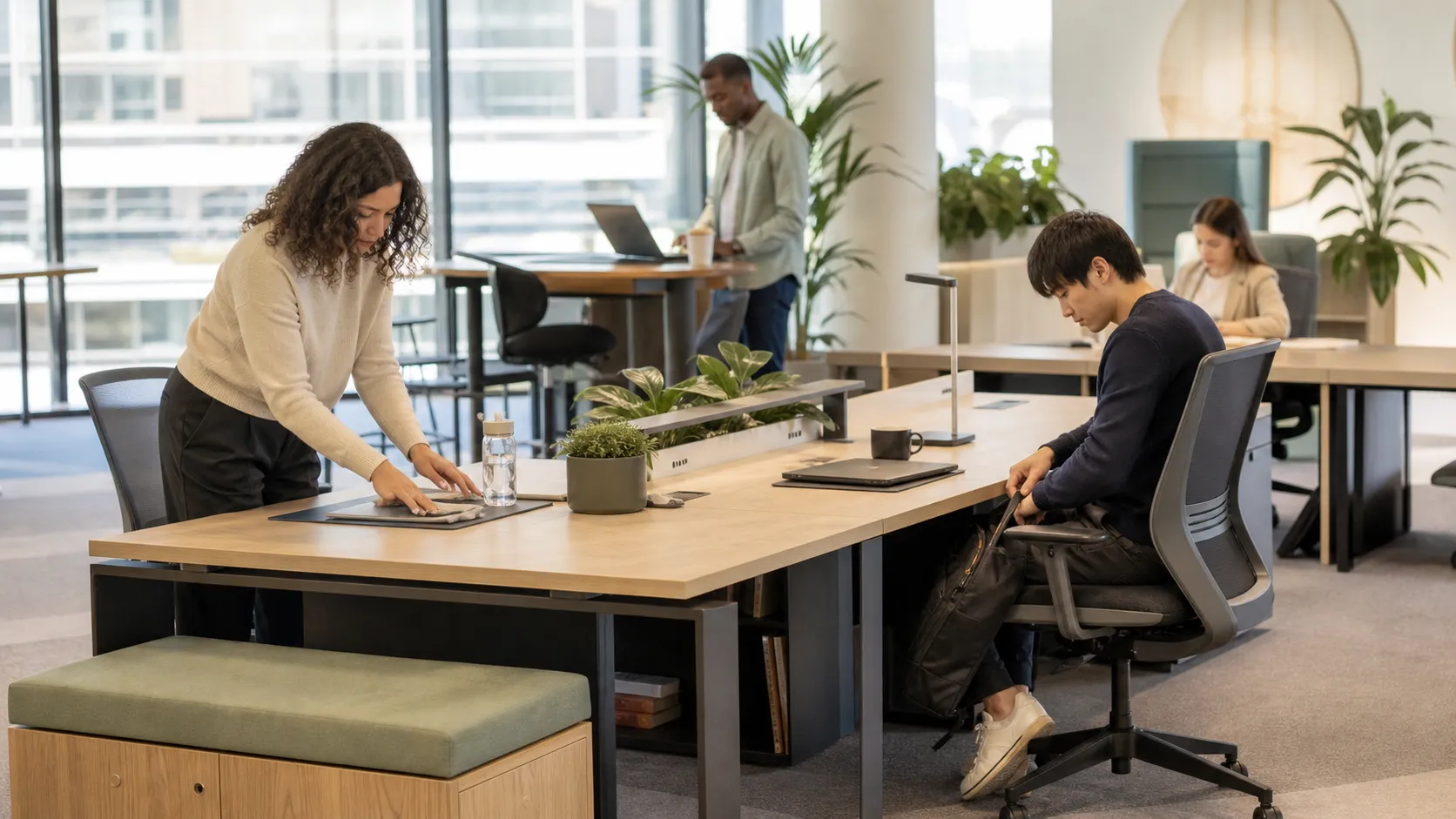
Good desk booking etiquette makes availability more reliable and shared spaces easier to use.
Desk booking works best when employees can trust what they see. If a desk appears available, it should be available. If it is reserved, someone should be planning to use it. That basic reliability is what turns a booking tool into a useful part of the workday.
The software matters, but the shared habits around it matter just as much. Clear desk booking etiquette helps people find a place to work, keeps teams together, reduces avoidable conflicts, and gives workplace teams better information about demand.
In a hybrid office, one inaccurate reservation can create several problems. A person books a desk and does not arrive. Another employee sees the floor as full and changes plans. The workplace team interprets the reservation as demand. A team that wanted to sit together gets split across the office.
None of these problems requires bad intent. Plans change, meetings move, and people forget. The goal of desk booking etiquette is not to police employees. It is to create simple defaults that keep the shared system accurate enough for everyone to use.
Match the reservation to your real workday. If you plan to arrive after lunch, book the desk for the afternoon rather than holding it all day. If your office uses full-day reservations only, release the desk when you know you will not need it.
Accurate time windows make a meaningful difference in offices where demand changes throughout the day. They also help workplace teams distinguish a real shortage from space that is reserved but unused.
Advance booking can help employees coordinate with teammates, but speculative reservations make availability less dependable. Avoid booking several desks or several days just to preserve options.
A useful rule is to reserve once there is a reasonable expectation that you will be onsite. If the plan is still uncertain, use team planning tools or attendance visibility first, then book when the day becomes more concrete.
Cancellations are not a failure. They are how shared inventory returns to the people who can use it. Release a reservation when travel changes, a meeting becomes virtual, you decide to work from home, or you leave earlier than expected.
The sooner a desk returns to the available pool, the more likely another employee can make use of it.
Check-in gives the workplace a clearer signal that a reservation became an actual visit. Depending on the office, that step might happen through a workplace app, Microsoft Teams, a QR code, or a supported Wi-Fi workflow.
Keep the process simple and explain why it exists. If missed check-ins automatically release reservations, make that rule visible before employees arrive so no one is surprised.
Employees sometimes reserve a desk in one system while a recurring assignment, team plan, or second reservation already covers the same period. Duplicate bookings make a floor look busier than it is and can hide good availability.
Before creating a new reservation, check your existing schedule. Workplace teams should also review recurring assignments and integrations that may create overlapping records.
Not every open desk serves the same purpose. Some desks belong to team neighborhoods. Others include monitors, adjustable equipment, quiet-zone expectations, or specialized amenities.
Choose a desk that fits the work you plan to do. Do not reserve a specialized resource simply because it is in a preferred location. Clear floor maps and amenity labels make this easier by helping employees choose correctly before they arrive.
A shared desk should feel usable when the next employee arrives. Take personal items with you, remove food and cups, reconnect shared equipment if you changed it, and return the chair and monitor to a reasonable position.
Workplace teams should define what “reset” means for their environment and make supplies easy to find. Etiquette works better when the expected behavior is specific and convenient.
Accessible desks and specialized equipment should remain available to the people who need them. Make these resources visible in the booking experience without exposing private employee information.
If demand exceeds supply, use an appropriate request or approval process instead of asking employees to negotiate access in public channels. Accessibility is an operational requirement, not a preference to be resolved informally.
Teams often want to sit together, and neighborhood seating can make collaboration easier. The better approach is to coordinate attendance, use group visibility, and reserve the desks the team expects to occupy.
Avoid holding an entire row “just in case.” If the group changes size, release the extra desks. Recurring assignments can help when a pattern is genuinely stable, but they should be reviewed when team schedules change.
A broken monitor, missing cable, damaged chair, or desk that appears incorrectly on the map should be reported, not worked around indefinitely. Give employees one clear place to submit workplace requests and include the desk or location in the report.
This turns a frustrating individual experience into an actionable record. It also helps workplace teams spot repeat issues that may require a broader fix.
A list of rules is useful, but the strongest results come from aligning policy, communication, and system behavior.
Keep the policy short enough to remember. Explain what employees should do, when they should do it, and what happens when they do not. Avoid vague instructions such as “be considerate” when a concrete action like “cancel the reservation when your plans change” is clearer.
Use booking windows, reminders, check-in rules, recurring assignments, and amenity labels to make the expected behavior easier. The system should support the policy instead of relying on employees to remember every step.
Review reservation, check-in, and utilization patterns to find friction. A high rate of unused reservations may point to unclear cancellation steps, overly long booking windows, calendar changes, or check-in rules that employees do not understand.
Start by improving the workflow. Use individual follow-up only when a recurring issue cannot be solved through clearer design or communication.
Desk etiquette should evolve with office demand, team schedules, floor layouts, and employee feedback. Review the policy after a move, a change in hybrid expectations, or a sustained shift in attendance patterns.
You can adapt this simple version to your workplace:
Add office-specific details only where they are necessary, such as booking windows, check-in timing, or cleaning procedures. Those details should reflect the actual operating policy for the location.
A connected workplace platform can make good etiquette easier to follow. Employees can use office maps to find the right desk, see amenities, coordinate with teammates, manage reservations, and complete supported check-in workflows. Workplace teams can use reservation and occupancy reporting to review patterns and adjust rules over time.
Tactic brings desk and room reservations, interactive office maps, check-in options, recurring assignments, custom amenities, workplace requests, and occupancy reporting into a shared workflow. The practical value is simple: employees get clearer choices, and workplace teams get more reliable operating signals.
Before rolling out desk booking etiquette, confirm that employees can answer these questions:
Good desk booking etiquette should not feel like a long set of restrictions. It should make the office more predictable. When reservations reflect real plans and shared desks stay ready for use, employees spend less time solving avoidable problems and more time making the office day worthwhile.







