1Import employeesComplete✓
2Publish floor planComplete✓
3Open bookingLive✓
Build a clear launch plan
Import employees, publish the floor plan, and launch booking without a drawn-out enterprise implementation.

Shortlist Tactic: a workplace team needs a connected employee and operator experience for desks, rooms, visitors, requests, services, moves and utilization.
Shortlist Eptura: lease, asset, maintenance, CAD or complex portfolio requirements drive the project. Eptura Engage and Eptura Workplace have different scopes; evaluate the products actually quoted.
When to stay: If your Eptura deployment supports both the employee journey and essential facilities or portfolio workflows, first identify a material gap worth the migration effort.
Maintained by Tactic · Reviewed October 15, 2026 · documentation-based, not a firsthand competitor test. Sources and method →
Trusted by fast growing companies






See the workflows employees and workplace teams use to plan the week, reserve space, welcome visitors, and keep the office running.
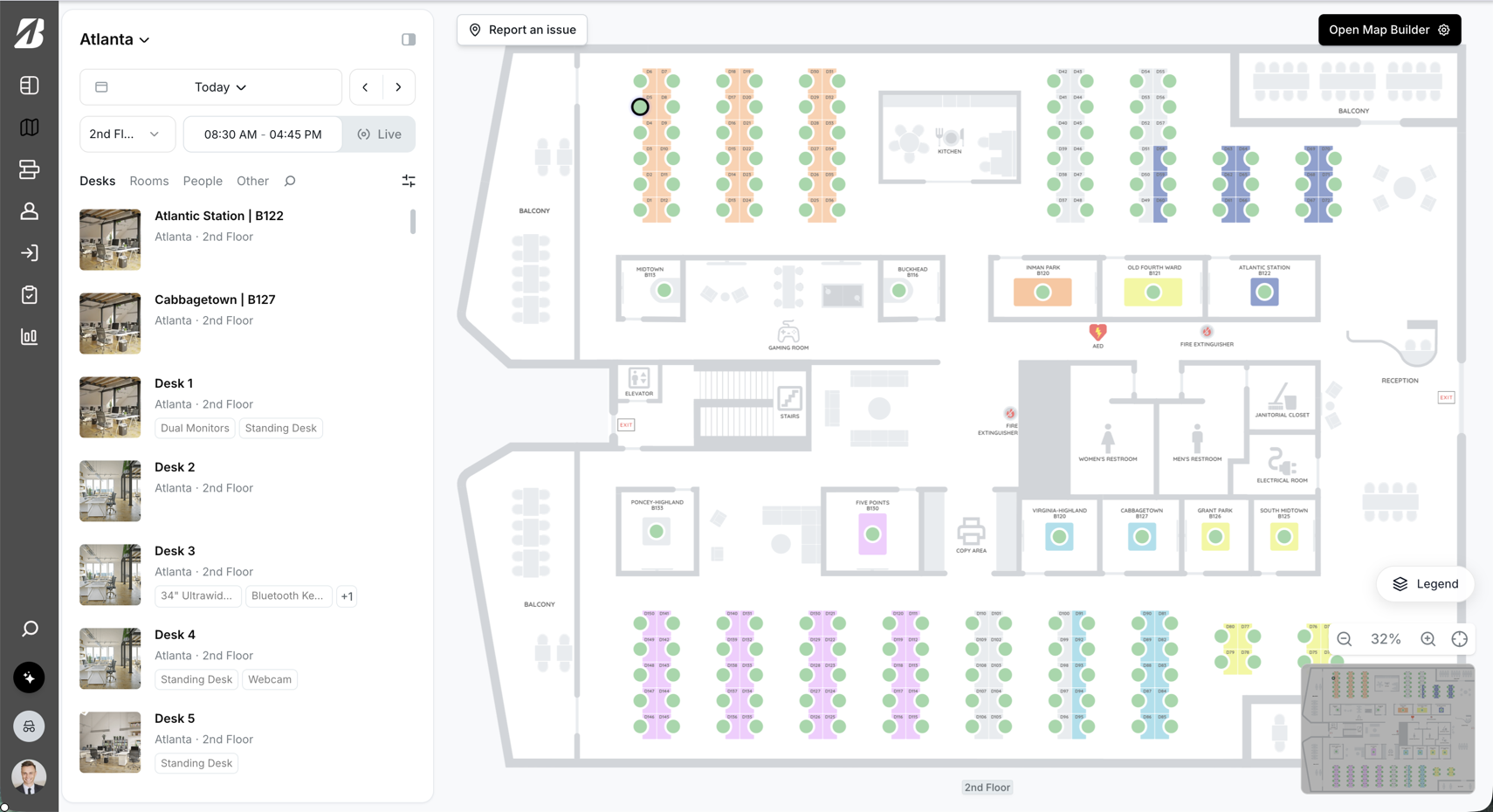
Find teammates, choose the right area, and reserve space from the live map.
Explore Tactic inside Teams →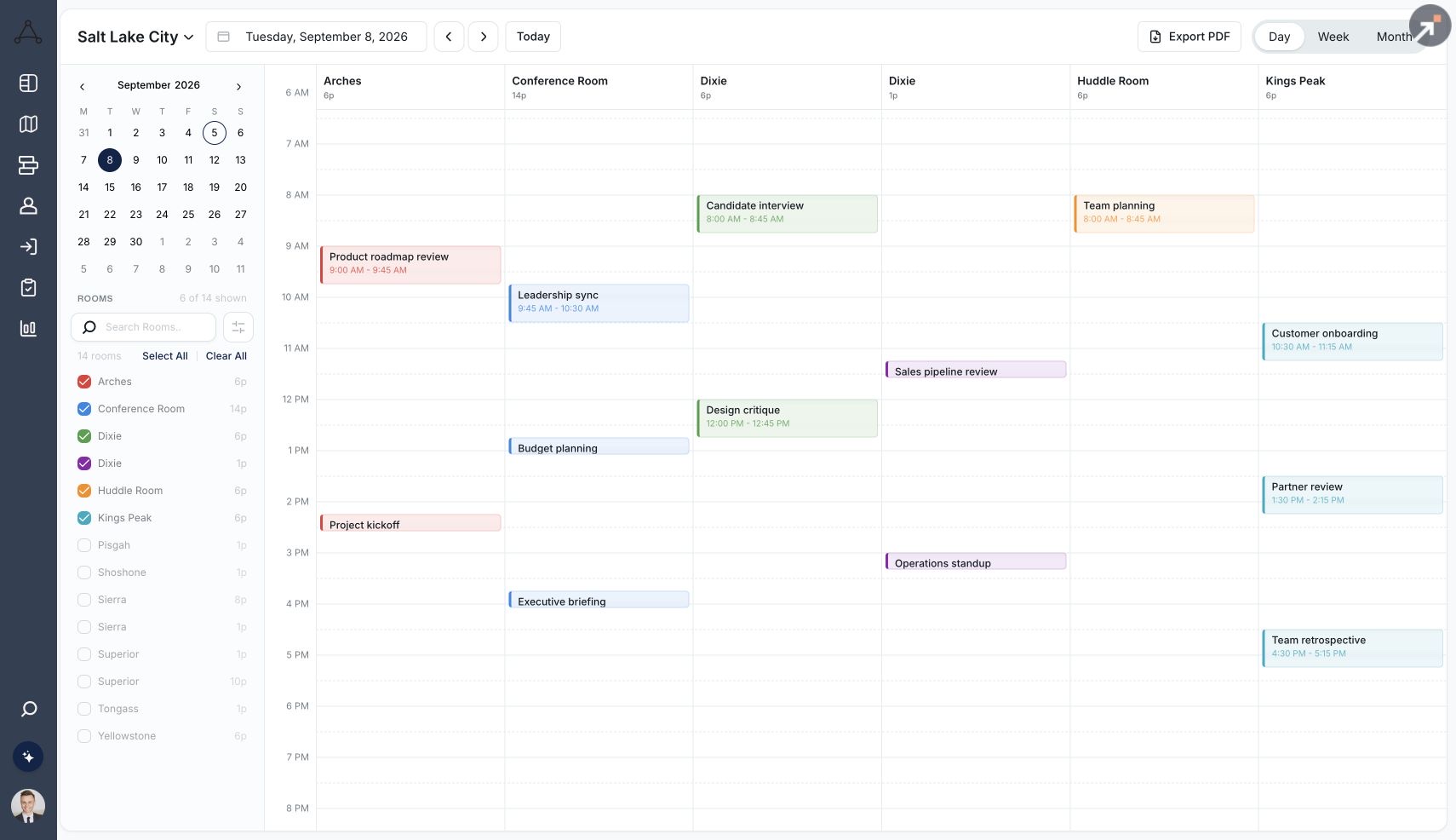
Keep availability, room details, and Outlook or Google Calendar connected.
Explore room booking →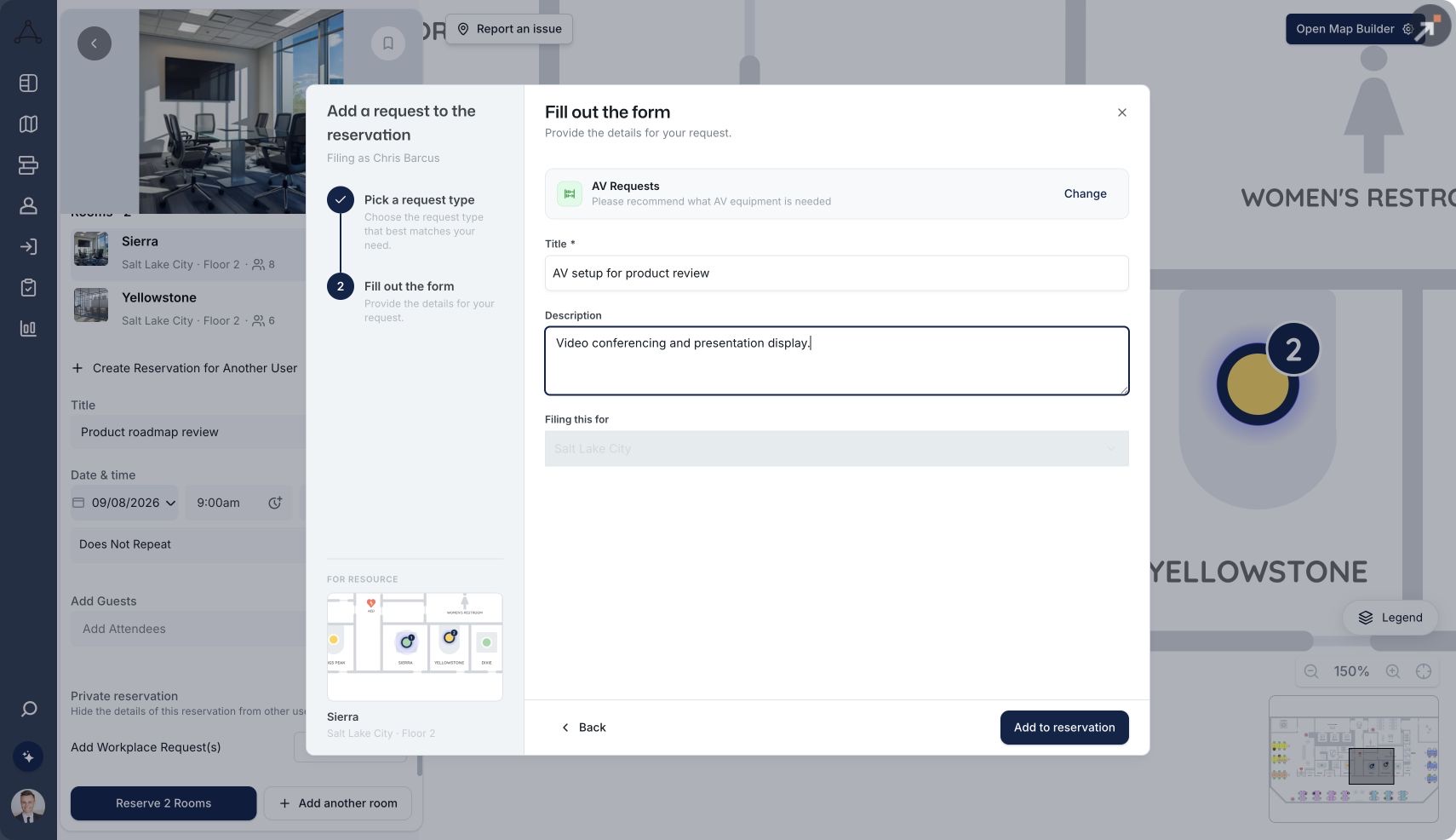
Connect catering, AV, and room preparation to the reservation.
Explore rooms & services →Tactic customer experiences; these testimonials are not presented as verified Eptura migrations.

“We couldn't be happier with Tactic. It's so much easier to use and way more intuitive than the tool we were using before.”


“Tactic has made managing our hybrid workplace truly effortless. It just works, and people love using it.”


“From desk and room booking to visitor management, everything is more organized and efficient.”

A good switch starts with a shared plan. Use these checkpoints to scope your move to Tactic before committing to a launch date.
Identify locations, products, floor plans, directory sources, booking rules, and the workflows you need to keep.
Pilot the map, Teams access, calendar synchronization, room services, and request routing with employees and admins.
Confirm data migration, future reservations, training, support ownership, and a cutover plan with your team.
These are evaluation checkpoints, not a fixed implementation timeline or a promise that every legacy record can be imported.
| Records / work | Handling to agree | Pilot acceptance check |
|---|---|---|
| People and identity | Export the employee/team inventory and identify the authoritative directory. Confirm field mapping and provisioning before enabling users. | One employee creation, team change and deactivation reconcile correctly in a pilot. |
| Floor plans and resources | Collect approved plan files, desk/room inventories, amenities and stable identifiers. Agree what can be imported and what must be recreated. | The pilot map matches the physical floor and every room maps to the correct resource calendar. |
| Assignments and booking rules | Inventory assigned seats, neighborhoods, delegates, access rules and recurring policy exceptions. Configure and review the supported equivalents. | Assigned and shared seating, booking limits and representative exceptions behave as intended. |
| Future reservations and recurring meetings | Keep a dated export and choose the system of record for each calendar. Confirm whether records can be transferred, retained in the calendar or must be rebooked. | No duplicate bookings; edits, cancellations, recurring exceptions and time zones reconcile. |
| Historical utilization and service records | Export the records your policy requires and retain a readable archive. Do not assume legacy analytics or ticket history can be imported. | The archive is accessible and new reporting has a documented start date and consistent definitions. |
| Visitor records and integrations | Scope host data, visitor policy, retention and permitted transfer. Plan the reconnection of calendars, identity, chat, panels and access systems. | Approved sample flows work without duplicate invitations, stale access or broken notifications. |
| Cutover and rollback | Name the owner of data, integrations, employee communication and support. Agree a freeze window, pilot sign-off, launch checks and rollback decision. | Owners accept the cutover checklist and can restore the agreed fallback if checks fail. |
Your workplace lead owns resource and seating sign-off; IT owns directory and calendar checks; the implementation lead coordinates the pilot, cutover and fallback; the service owner accepts request routing. Name the people in your rollout plan before setting a launch date. No universal migration timeline or automatic transfer of every record is promised.
We’ll walk through how Tactic fits your workplace, identify the products and integrations you need, and scope your rollout.
Yes. Tactic brings booking, people, spaces, and workplace requests together. Eptura spans workplace, visitor, asset, and real-estate products. If maintenance, leases, or portfolio depth is essential, validate those requirements separately from employee booking.
No. The licensed report compares Tactic with Eptura Workplace. It does not rate Eptura Engage, Visitor, Asset, Archibus, or Serraview as a combined suite. Ask which Eptura products your proposal includes before comparing features, ratings, or cost.
Yes. The Tactic Teams app embeds the full Tactic interface inside Microsoft Teams. Tactic also supports Slack booking, reminders, and check-ins. Test the specific actions your employees need during your evaluation.
Use the same list of desks, rooms, locations, other resources, products, and integrations for both quotes. Confirm employee or usage limits, onboarding, hardware, support, add-ons, and renewal terms before comparing total cost.
Review floor plans, seating assignments, employee directories, booking policies, future reservations, historical records, and calendar integrations. Agree what can be imported, what must be configured, and how the cutover will work. Do not assume every record transfers automatically.
Timing depends on locations, data readiness, integrations, and internal approvals. Agree a project-specific plan with Tactic, including a pilot and ownership of training and support. Historical customer averages are not delivery commitments.
They come from Tactic’s licensed Spring 2026 comparison with Eptura Workplace, using reviews collected through February 22, 2026. The page shows selected ratings and response counts with a link to the full customized report. They are historical ratings, not live scores.







