Tactic vs Archie
Connected workplace managementUpdated October 2026

Tactic vs Archie.
Make every booking part of a connected workplace.

Shortlist Tactic: employee booking and guests need to connect with service ownership, workplace requests, moves and live-map operations.

Shortlist Archie: its employee-workplace products and plan match your desk, room and visitor requirements. If you sell space or memberships, evaluate Archie’s separate coworking workflows against that business need.

When to stay: If your Archie workplace setup already handles the required employee workflows, compare a specific gap and the full product mix before switching.

Maintained by Tactic · Reviewed October 15, 2026 · documentation-based, not a firsthand competitor test. Sources and method →

One connected workplace
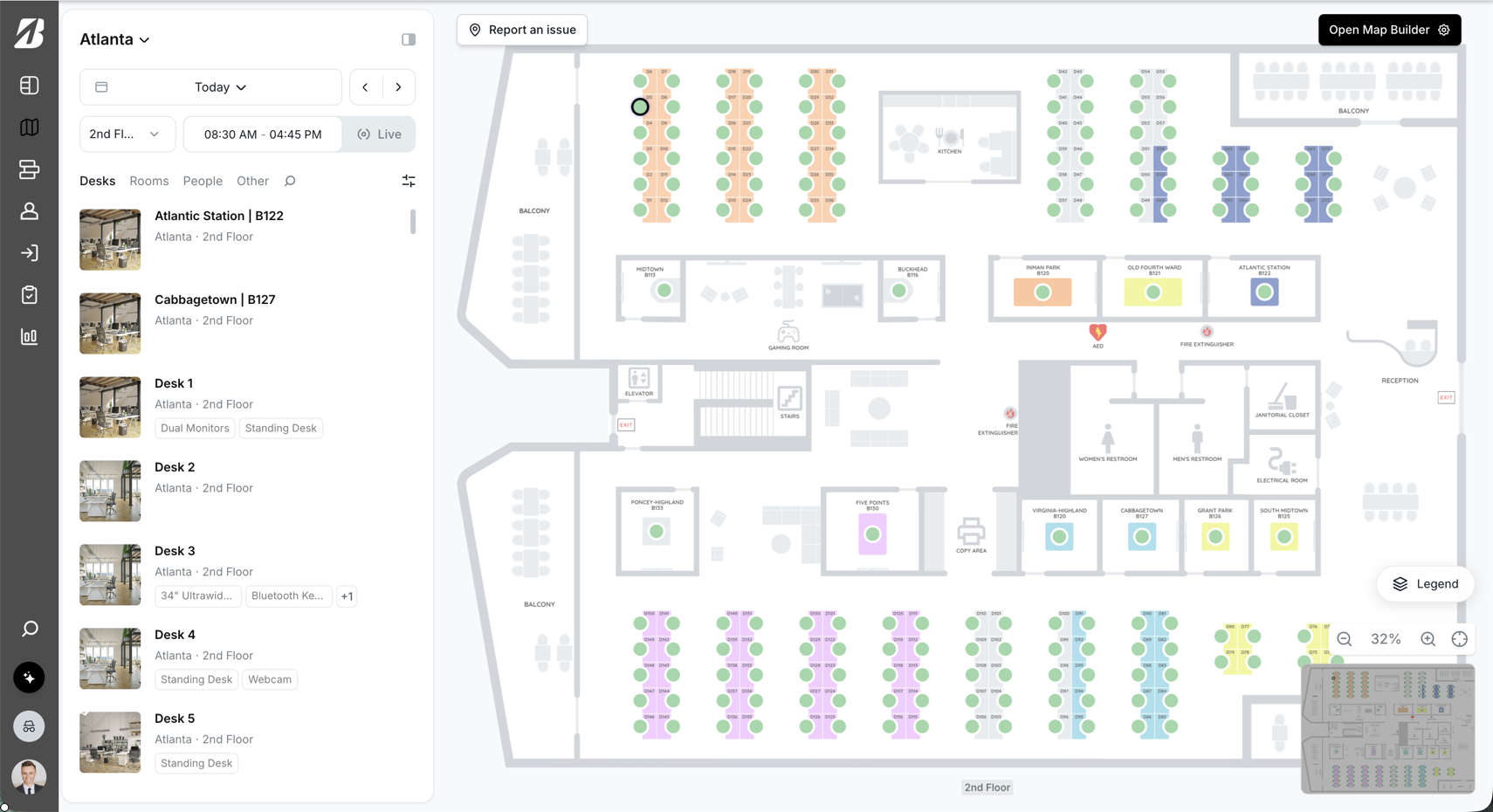
Tactic live workplace map
Built for daily adoptionBooking · maps · workplace operations

Trusted by fast growing companies

A&EVeeamHPECometVertivRE/MAXSmartSweetsNorthwestern University
Why Tactic

A connected workplace, in practice.

Define whether you are managing an employee workplace or selling memberships and space. For an employee workplace, test booking, room services, request routing, and seating changes together.

Workplace map
Atlanta · 2nd floor8 teammates in
Focus rooms
AMJRKL
Desk B214 · Available

Coordinate people and spaces visually

Give employees a live view of desks, rooms, neighborhoods, and teammates before they book.

Daily scheduling
My work week3 office days
MHomeTOfficeWOfficeTHomeFOffice
Tuesday reservationDesk B214Near Product · 8:30–5:00

Keep desk and room booking together

Make it easy to move from the weekly plan to the right reservation.

Operations depth
Workplace requests3 active

Standing deskAssigned to JamieIn progress

Room displayAtlas · 2nd floorNew

Team moveMarketing neighborhoodPlanned

Connect the work around each space

Manage visitors, requests, moves, and analytics without sending teams to separate systems.

Make the comparison count

The right platform.
For the way you work.

Considering Tactic or Archie? Compare the everyday booking experience alongside the workplace operations your team needs to run—not just reserve—the office.

Why shortlist Tactic

Bring booking and operations together.

Keep people, spaces, and requests connected. Start with the products you need and let employees use Tactic inside Microsoft Teams.

Evaluate the fit

Workplace software or a coworking business?

Define whether you are managing an employee workplace or selling memberships and space. For an employee workplace, test booking, room services, request routing, and seating changes together.

The buyer task

Run an employee workplace across desks, rooms and visitors

Documentation-based comparison; competitor workflows have not been tested firsthand. The steps below are a reproducible evaluation protocol, not a timed benchmark.

  1. Fix the same desk and room inventory, employee count, location and identity requirements.
  2. Reserve a desk through the required Teams or Outlook workflow, then invite a guest and reserve the meeting.
  3. Add or change a service request and inspect ownership, status and the affected space.
  4. Verify which desk, room, visitor and identity capabilities the proposed plan includes; keep coworking billing outside an employee-workplace comparison.

Compare the completed task, exceptions, admin handoffs and data consistency in both products. Ask each vendor to demonstrate the result with your inputs. Use the same plan scope, roles, data and required integrations. Record setup work and exceptions, not just the successful path.

What mattersTacticArchie
Desk & resource bookingBook from a live map; manage desks, assigned seating, parking, and lockers. Explore →Lists maps, colleague search, seat assignments, and workweek schedules.
Teams & employee accessUse the full Tactic interface inside Teams, plus Slack booking, reminders, and check-ins. Explore →Archie’s Pro plan highlights booking from Teams and Outlook, plus Slack integration.
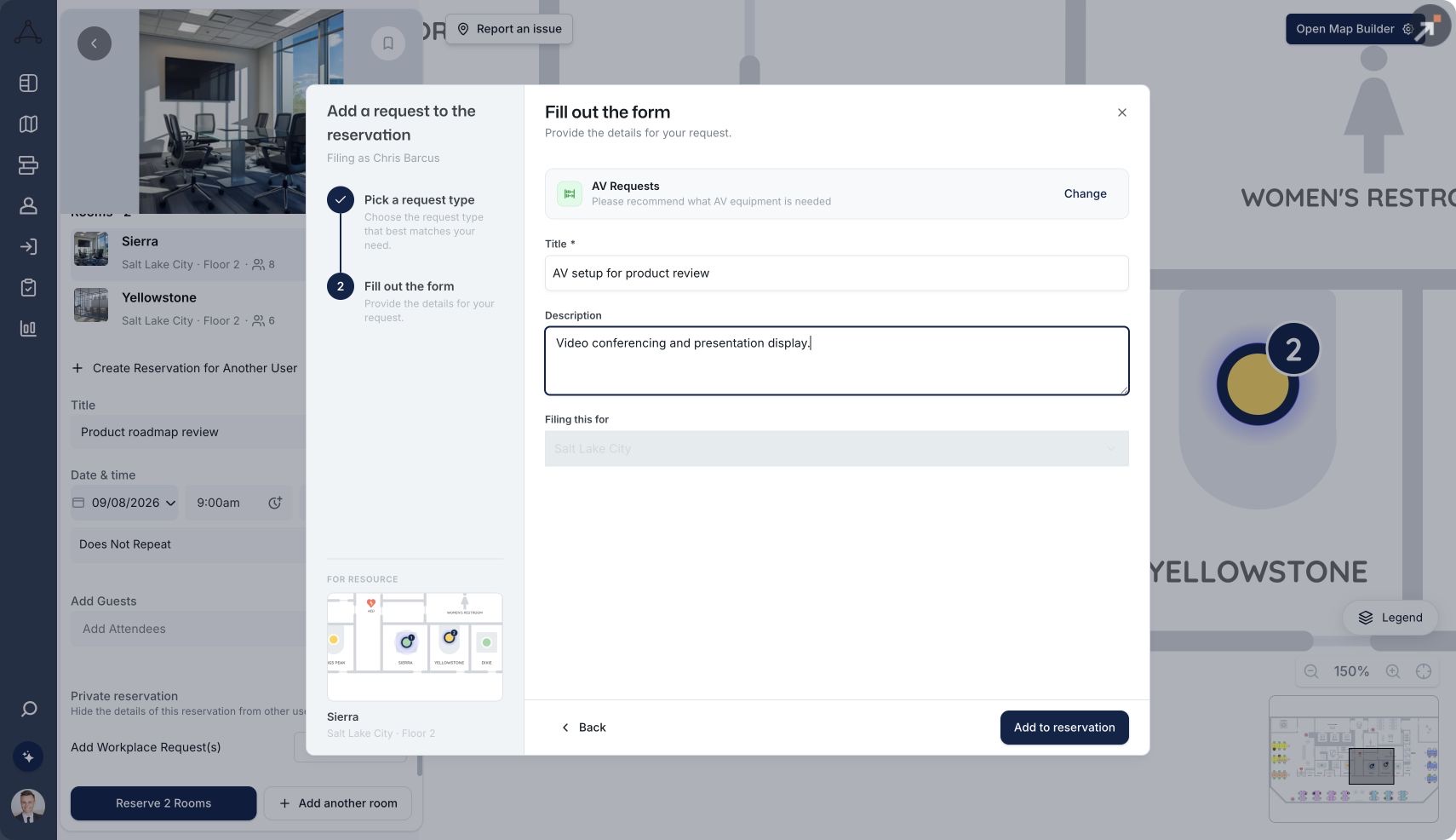
Rooms & meeting servicesConnect Outlook and Google Calendar bidirectionally, book multiple rooms, and attach services to reservations. Explore →Offers a room scheduling product. Validate the calendar, setup, and service workflows you require.
Space & workplace operationsConnect seating, moves, utilization, and location-based workplace requests. Explore →Lists workplace issue reporting and custom resources. Demonstrate your move and approval requirements.
Identity & directory syncSupport SSO, SAML, SCIM, and directory integrations. Confirm your provider and provisioning needs. Explore →The Pro plan highlights SSO and SCIM; confirm directory and access requirements.
Pricing & rolloutEstimate selected products using managed resources and locations. Confirm onboarding and integration scope. Explore →Separate desk, room, visitor, and coworking offerings. Compare the complete product mix and onboarding scope.

Sources and method. Maintained by Tactic · Last reviewed October 15, 2026. Accountable role: Tactic website content lead. This is a documentation-based comparison, not a firsthand competitor benchmark. The workflow is an evaluation protocol, and the Tactic images are product examples, not a completed side-by-side test. Product references: Archie plans / scope ↗; Archie reference 2 ↗; Tactic products and pricing; Tactic integrations. Confirm plan-specific availability and contract terms with each vendor. Licensed G2 report dates and sample counts below remain separate historical evidence.

Equivalent commercial scope

Compare one desk-booking deployment.

Same base inventory: 100 bookable desks, one location, 250 employees, 12 months, USD. This is a desk-only illustration, not a quote for the full workplace workflow above.

Annual base example · estimator checked October 15, 2026
ScopeTacticArchie
100 desks · 1 location · 12 months$3,600–$4,800 rough annual range from the live pricing estimator. Not a contractual quote.Quote required for this exact inventory and annual period. No equivalent verified quote is available here; no savings claim is made.
Excluded from this baseRooms, visitors, custom resources, requests, managed services and space/move products. Confirm identity, integrations, onboarding, floor-plan setup, support and taxes separately.Ask for the same scope rather than a differently bundled entry plan. Confirm included users/resources, minimums and all setup, hardware and service fees.
Full workflow quoteQuote the same selected products, resource inventory, locations, users, integrations, hardware, onboarding, support and renewal terms.Include the required desk, room and visitor products, plan-level identity features, user/resource basis and onboarding. Quote the same full workflow requirements, not the desk-only base alone.

Employee count is an evaluation input, not a promise of an unlimited-user contract. Final pricing and exact inclusion depend on the proposal. Where a public price is not equivalent to this deployment, request an equivalent quote from both vendors.

Product proof

What connected workplace operations look like.

See the workflows employees and workplace teams use to plan the week, reserve space, welcome visitors, and keep the office running.

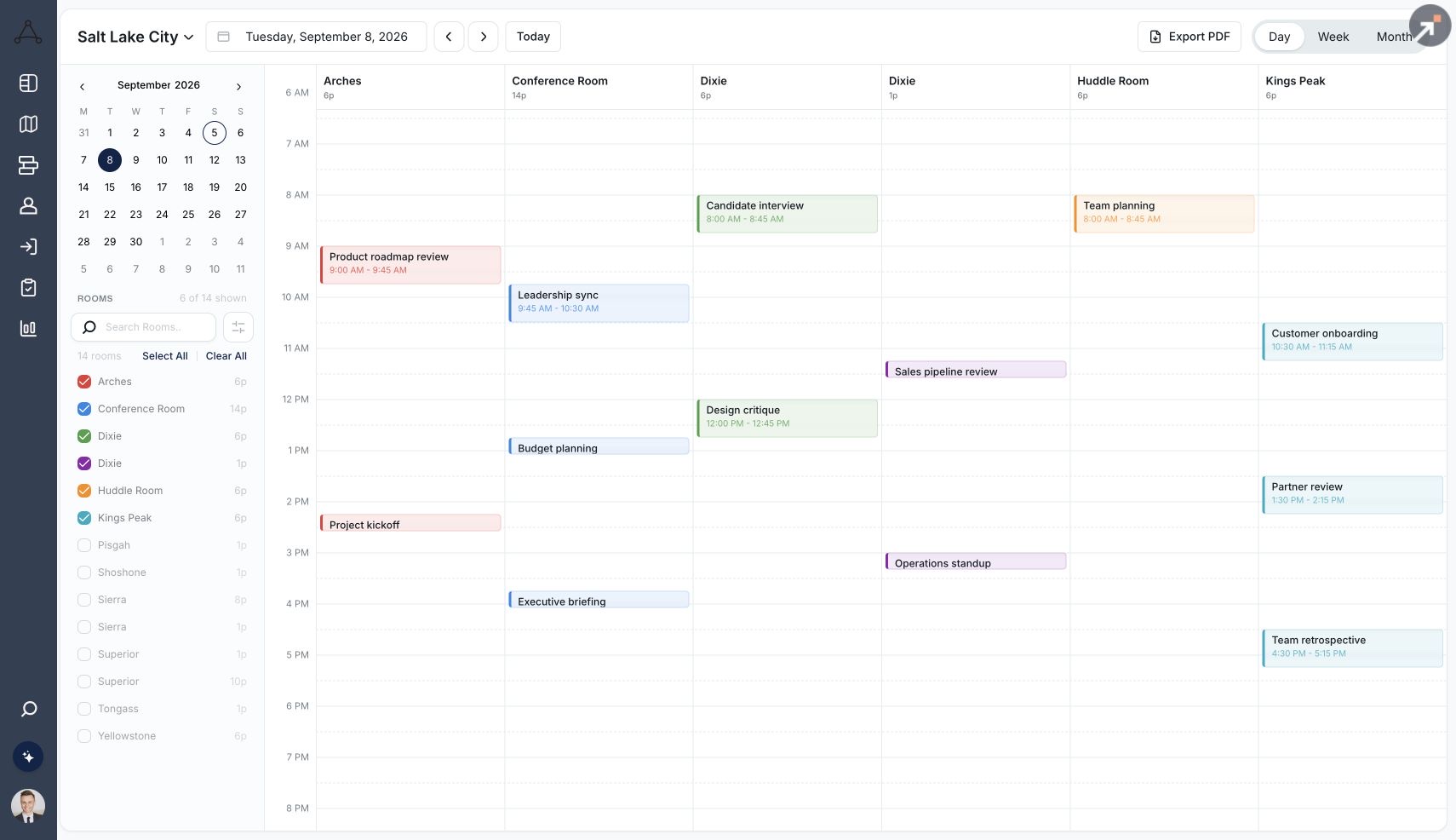
Tactic meeting room scheduling timeline
Room scheduling

Book rooms with less friction.

Keep availability, room details, and Outlook or Google Calendar connected.

Explore room booking →
From evaluation to everyday use

Make the next step. A clear one.

A good switch starts with a shared plan. Use these checkpoints to scope your move to Tactic before committing to a launch date.

01 · SCOPE

Map what matters.

Identify locations, products, floor plans, directory sources, booking rules, and the workflows you need to keep.

02 · VALIDATE

Test a real workday.

Pilot the map, Teams access, calendar synchronization, room services, and request routing with employees and admins.

03 · LAUNCH

Agree the handover.

Confirm data migration, future reservations, training, support ownership, and a cutover plan with your team.

These are evaluation checkpoints, not a fixed implementation timeline or a promise that every legacy record can be imported.

Record-level switching plan

Agree what transfers, what is rebuilt and who signs off.

Evaluation checklist, not a promise of a supported import
Records / workHandling to agreePilot acceptance check
People and identityExport the employee/team inventory and identify the authoritative directory. Confirm field mapping and provisioning before enabling users.One employee creation, team change and deactivation reconcile correctly in a pilot.
Floor plans and resourcesCollect approved plan files, desk/room inventories, amenities and stable identifiers. Agree what can be imported and what must be recreated.The pilot map matches the physical floor and every room maps to the correct resource calendar.
Assignments and booking rulesInventory assigned seats, neighborhoods, delegates, access rules and recurring policy exceptions. Configure and review the supported equivalents.Assigned and shared seating, booking limits and representative exceptions behave as intended.
Future reservations and recurring meetingsKeep a dated export and choose the system of record for each calendar. Confirm whether records can be transferred, retained in the calendar or must be rebooked.No duplicate bookings; edits, cancellations, recurring exceptions and time zones reconcile.
Historical utilization and service recordsExport the records your policy requires and retain a readable archive. Do not assume legacy analytics or ticket history can be imported.The archive is accessible and new reporting has a documented start date and consistent definitions.
Visitor records and integrationsScope host data, visitor policy, retention and permitted transfer. Plan the reconnection of calendars, identity, chat, panels and access systems.Approved sample flows work without duplicate invitations, stale access or broken notifications.
Cutover and rollbackName the owner of data, integrations, employee communication and support. Agree a freeze window, pilot sign-off, launch checks and rollback decision.Owners accept the cutover checklist and can restore the agreed fallback if checks fail.

Your workplace lead owns resource and seating sign-off; IT owns directory and calendar checks; the implementation lead coordinates the pilot, cutover and fallback; the service owner accepts request routing. Name the people in your rollout plan before setting a launch date. No universal migration timeline or automatic transfer of every record is promised.

Bring us the workflows you want to improve.

We’ll walk through how Tactic fits your workplace, identify the products and integrations you need, and scope your rollout.

Tactic vs Archie · FAQ

Questions worth asking. Before you choose.

Is Tactic an alternative to Archie?

Yes. Tactic brings booking, people, spaces, and workplace requests together. Define whether you are managing an employee workplace or selling memberships and space. For an employee workplace, test booking, room services, request routing, and seating changes together.

Are we comparing Archie workplace tools or its coworking software?

This page is for employee workplace management. If you need membership billing, contracts, or paid public space booking, evaluate that business workflow separately. For an internal workplace, bring your booking rules, service requests, room calendars, and seating requirements to both demos.

Can employees use Tactic inside Microsoft Teams?

Yes. The Tactic Teams app embeds the full Tactic interface inside Microsoft Teams. Tactic also supports Slack booking, reminders, and check-ins. Test the specific actions your employees need during your evaluation.

How should we compare Tactic and Archie pricing?

Use the same list of desks, rooms, locations, other resources, products, and integrations for both quotes. Confirm employee or usage limits, onboarding, hardware, support, add-ons, and renewal terms before comparing total cost.

What should we check before switching from Archie?

Review floor plans, seating assignments, employee directories, booking policies, future reservations, historical records, and calendar integrations. Agree what can be imported, what must be configured, and how the cutover will work. Do not assume every record transfers automatically.

How long will implementation take?

Timing depends on locations, data readiness, integrations, and internal approvals. Agree a project-specific plan with Tactic, including a pilot and ownership of training and support. Historical customer averages are not delivery commitments.


Tactic
Book a demoLog in