
.webp)
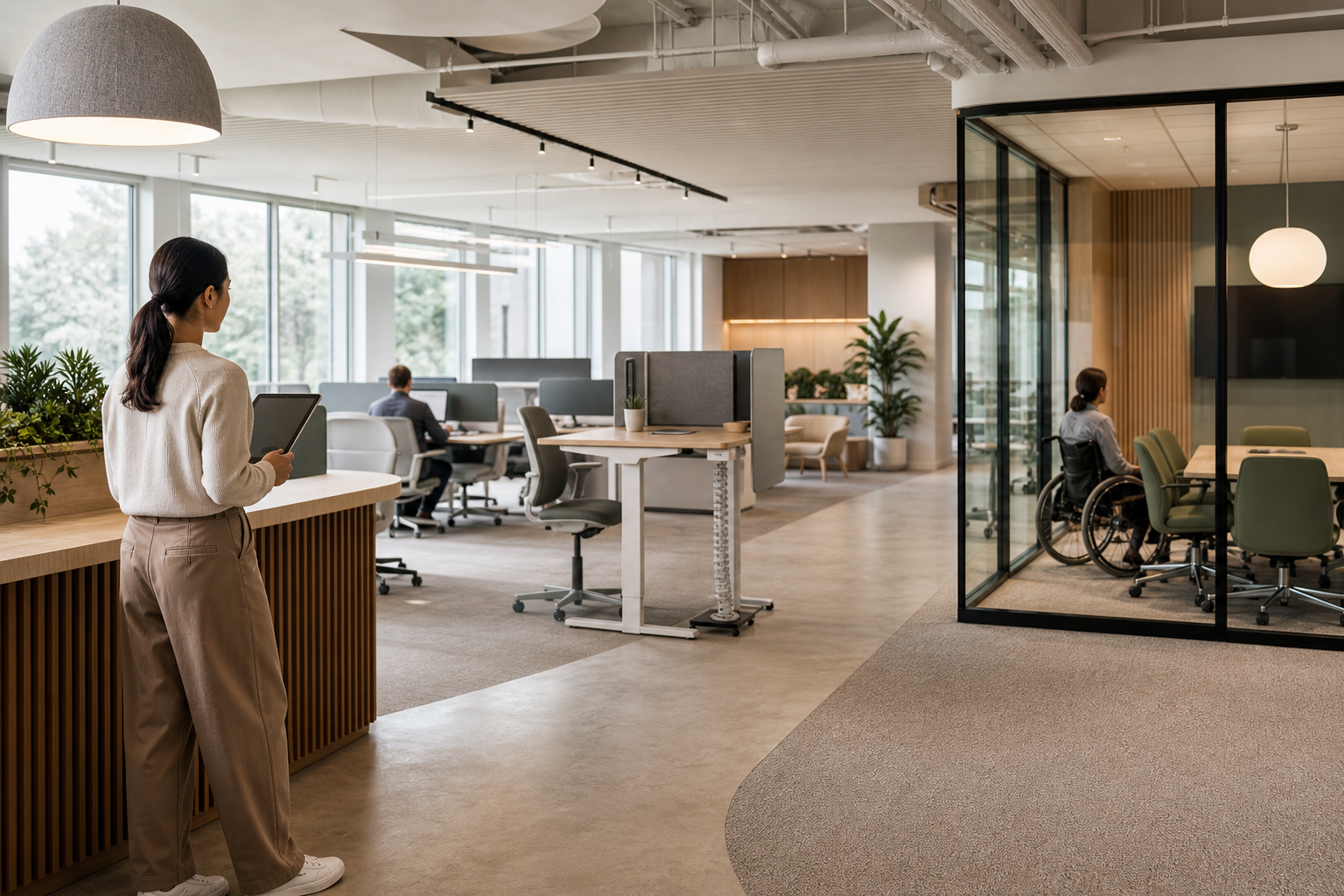
TL;DR: Make accessibility part of everyday workplace booking. Define operational requirements, maintain detailed space attributes, offer clear filters and supported requests, protect sensitive information, assign ownership, and test the experience with employees who use it.
Accessibility is often treated as a facilities requirement that is reviewed during office design and then left unchanged. In a hybrid workplace, that approach is not enough. Employees may work from different locations, use shared desks and meeting rooms, depend on specific equipment, or need a predictable setup before arriving at the office.
Accessible workplace booking connects the physical environment with the information employees need to use it confidently. The goal is not to create a separate experience for people with access needs. It is to make accessibility requirements visible, actionable, and compatible with everyday desk, room, and resource planning.
This guide explains how workplace and operations leaders can build a more accessible booking process, from defining requirements and improving inventory data to setting policies, coordinating support, and reviewing outcomes.
A desk or meeting room reservation is more than a time and location. It can determine whether an employee has enough space to maneuver, can reach power and equipment, can participate in a meeting, or can work without avoidable physical strain.
When booking tools do not reflect these needs, employees may have to contact several teams manually, arrive early to inspect a space, or rely on informal arrangements that are difficult to repeat. Workplace teams also lose visibility into which spaces and resources are suitable, making it harder to plan improvements.
Embedding accessibility into booking helps create a consistent process. Employees can identify relevant requirements during planning, while workplace teams can prepare spaces and coordinate requests before the workday begins.
Start by translating broad goals into requirements that can be used in a booking workflow. Avoid asking employees to provide more personal information than the workplace team needs to deliver the service.
Requirements may include:
Work with employees, accessibility specialists, facilities, IT, and human resources to validate the list. Requirements should describe what must be available, not require an employee to disclose a diagnosis. If a request involves confidential workplace adjustments, define a separate process with the appropriate owner and access controls.
Booking data is only useful when the underlying inventory is accurate. For every desk, room, and relevant resource, record the attributes that affect accessibility and confirm them in the physical workplace.
Useful inventory fields can include:
Do not rely on labels such as “accessible” without supporting detail. An employee may need one feature but not another. Clear attributes let people make an informed choice and help workplace teams spot gaps in coverage.
An accessible process should not force employees to search through every space or explain the same need repeatedly. Let them filter or identify relevant requirements early in the booking journey, then show spaces that meet those conditions.
Keep the interaction simple:
Accessibility information should also be available before arrival. Employees may need to assess a route, plan transportation, or coordinate with a colleague. A mobile-friendly experience and consistent location details reduce unnecessary uncertainty.
Not every accessibility need can be handled through an instant booking. Some require equipment, a room change, a facilities check, or coordination with IT. Treating these as workplace requests creates an accountable path without making the employee manage the coordination.
A supported request should capture only the operational information needed, such as:
Assign each request to a clear owner. Facilities may handle furniture and routes, IT may support meeting technology, and workplace operations may coordinate the overall reservation. The employee should be able to see the request status and receive a clear update if the original option is unavailable.
Some accessible resources are limited. A workplace may need to prevent them from being reserved casually while ensuring that people who need them can use them reliably.
Possible controls include:
Be careful with rules that require employees to justify or repeatedly prove a need. The objective is responsible allocation, not surveillance. Keep sensitive information separate from general booking data, limit access by role, and establish how long request details are retained.
Accessible booking fails when ownership is unclear. Document who maintains space attributes, who handles requests, who checks equipment, and who communicates changes.
A practical ownership model might include:
When a desk, room, elevator, restroom, or piece of equipment becomes unavailable, update the relevant inventory and communicate the impact. A stale accessibility attribute can be more damaging than no attribute because it creates false confidence.
Policy reviews and inventory checks cannot replace practical testing. Invite employees with different access needs to test the process from discovery through arrival, use, and cancellation.
Ask questions such as:
Test the physical space as well as the software. A room may be technically bookable but difficult to enter, use, or leave. Record issues, assign owners, and prioritize changes based on safety, frequency, and the impact on participation.
Workplace analytics can reveal operational patterns, such as frequent requests for a particular type of desk, repeated failures with a room feature, or high demand for accessible spaces at certain times. Use these signals to improve supply, maintenance, and planning.
Interpret the information carefully. Booking activity does not represent every access need because some employees may avoid the office when the process is difficult. Combine reservation data with service requests, maintenance records, voluntary feedback, and direct testing. Report aggregated trends wherever possible, and avoid using accessibility-related data to evaluate individual attendance or productivity.
Review accessibility whenever you change a floor, add furniture, introduce a booking rule, or adjust hybrid attendance practices. Include accessible space checks in move planning, room reviews, emergency planning, and vendor evaluations.
A practical review cycle can include monthly checks of inventory accuracy and open requests, quarterly review of recurring issues and resource demand, and an annual assessment with employee representatives and relevant specialists. Tactic can serve as the operational layer for connecting desk and room bookings, workplace requests, resource information, and utilization analysis, while teams retain responsibility for accurate data and inclusive policy decisions.
Accessible workplace booking is not a separate feature added after the process is complete. It is a way to make the entire workplace system more dependable. When employees can identify suitable spaces, request support, and understand what will be ready for them, hybrid work becomes easier to plan and more equitable to use.

A workplace experience platform that brings your hybrid team together.